
Submagic Review (2026): Video-Count Pricing, Viral Captions, No Product Ingestion
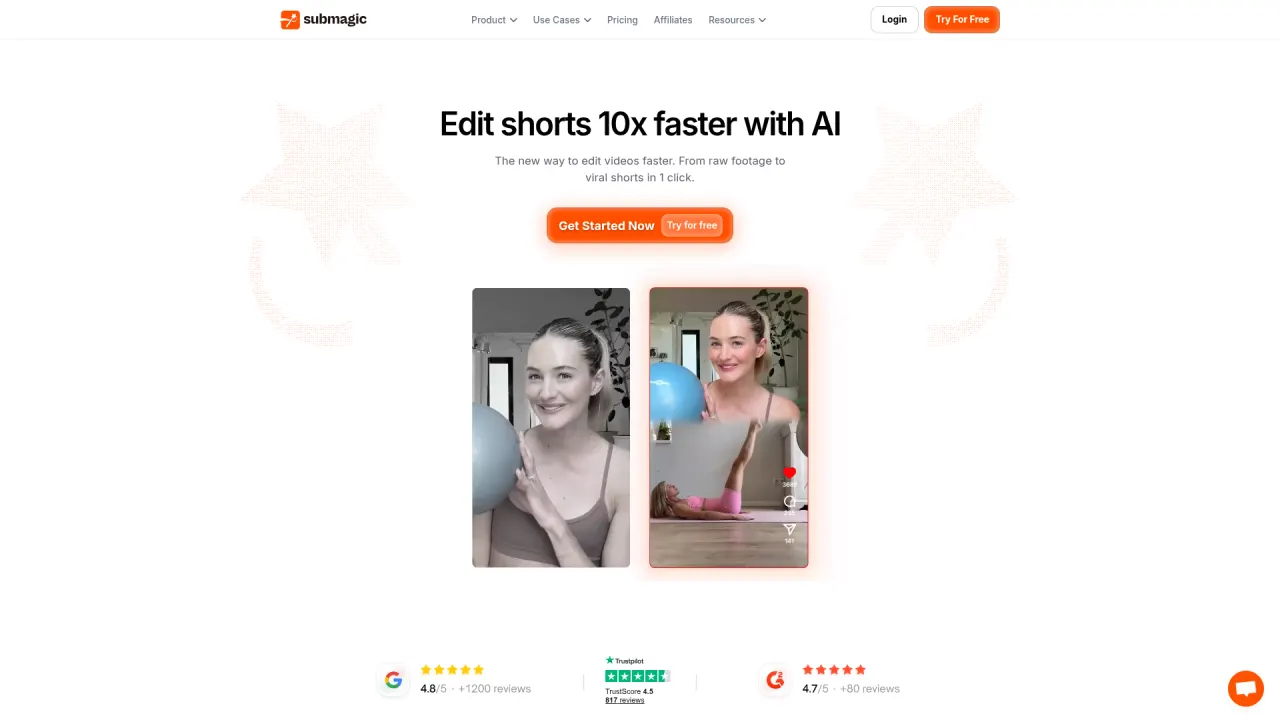
Submagic turns raw footage into captioned, edited shorts in one click — viral-style caption templates in 123 languages, AI B-roll, AI hook titles, and an add-on 'Magic Clips' repurposing engine — used by 4M+ businesses per its own homepage, including Shopify and Zapier. Verified July 2026 pricing (annual view, its default toggle): Starter $19/mo (15 videos, 2-min cap), Pro $39/mo (40 videos, 5-min cap), Business+API $69/mo (100 videos, 30-min cap, 4K/60fps) — all close to double on monthly billing ($38/$58/$120 respectively, and Business jumps further to $88 with Magic Clips). AI avatars exist as one feature among many, not the product's core job, and there's no product-URL ingestion — it edits footage you already have.
What is Submagic?
Submagic's core loop is upload-to-published: drop in a video or YouTube link, its AI detects highlights, adds animated captions in a viral style, and formats the result for short-form platforms — editable afterward like text rather than by scrubbing a timeline. The pitch is speed (its own marketing claims 10x faster editing and a 40% average view increase), and the product leans hard into caption quality: 123-language support at a claimed 99% accuracy, which is the widest language coverage of any tool in this review set.
Beyond captioning, Submagic bundles a fuller AI toolkit than a pure captioner: AI hook titles, AI clean audio, AI removal of bad takes and silences, AI-translated captions, a brand kit, and direct scheduling/publishing to TikTok, YouTube, and Instagram from Pro up. 'Create shorts without filming with AI avatars' appears on its homepage feature list, positioning avatar generation as one tool among Submagic's set rather than the product's organizing principle — there's no dedicated avatar-selection or script-from-URL flow described alongside it.
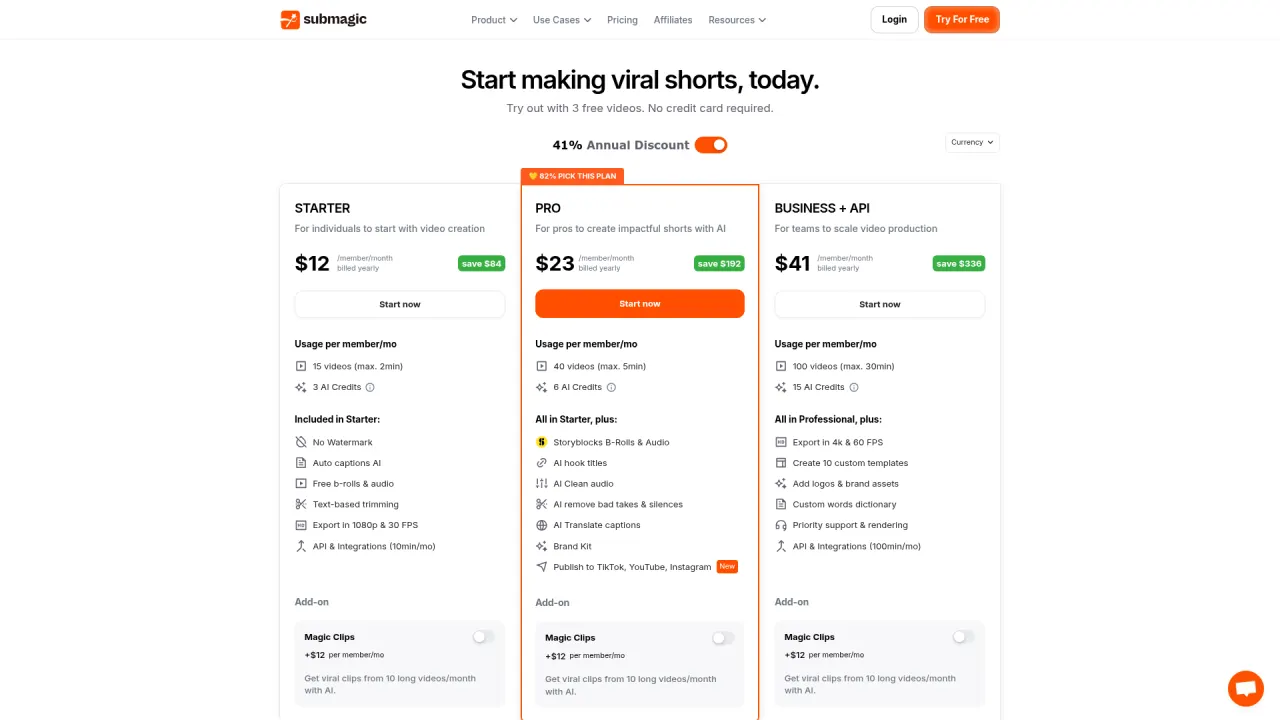
Pricing is unusual among clippers/captioners in this review set: instead of processing minutes or a monthly clip-count cap, Submagic sells a flat number of videos per month with a maximum length per video, plus separate 'AI Credits' for AI-generated videos/images. Starter allows 15 videos/mo up to 2 minutes each; Pro allows 40 videos/mo up to 5 minutes; Business+API allows 100 videos/mo up to 30 minutes, with 4K/60fps export and 100 minutes/mo of API access. A separate 'Magic Clips' add-on (+$19/mo per member on every tier) unlocks repurposing 10 long videos/month into clips — Submagic's answer to OpusClip/Vizard/Klap's core job.
The category boundary: Submagic edits and repurposes video you already have (or generates short AI video assets as one feature among several). There's no product-URL ingestion, no dedicated ad-script generator tied to a listing, and no curated library of 50+ tested avatars built specifically for conversion-focused UGC ads.
Official site: www.submagic.co
Submagic up close
Submagic key features
Viral caption styles in 123 languages
The widest caption-language coverage in this review set, claimed at 99% accuracy, with modern animated styles designed for retention on short-form platforms. Every tier includes captioning; higher tiers add premium templates and longer per-video caps.
Video-count pricing with a per-video length cap
Unlike processing-minute or clip-count models, Submagic caps a flat number of full videos per month (15/40/100) with a maximum length each (2/5/30 minutes). This is simple to reason about for short-form-first creators, but two separate limits (count and length) both apply, so a handful of longer videos can exhaust a tier faster than the video count alone suggests.
AI hook titles, clean audio, and bad-take removal (Pro and up)
Automates editing tasks that otherwise take manual passes: suggesting hook-style titles, cleaning background noise, and cutting filler words or bad takes. These sit behind Pro ($39/mo billed yearly) — Starter is captioning-and-export only for these specific tools.
Magic Clips add-on for long-form repurposing
A separate +$19/mo per-member add-on (available on every tier) that repurposes 10 long videos/month into viral clips with AI — Submagic's answer to the OpusClip/Vizard/Klap category, bundled as an add-on rather than the core product.
AI avatars (feature-level, not core positioning)
Homepage copy states shorts can be created 'without filming with AI avatars,' but Submagic doesn't publish avatar-count, persona-library depth, or a product-URL-to-script flow the way dedicated AI UGC platforms do — treat this as a capability to verify directly before relying on it for ad creative.
Direct publishing and scheduling (Pro and up)
Schedule and publish across TikTok, YouTube, and Instagram from inside the editor — removing a manual export-and-upload step, available from Pro up rather than Starter.
Submagic pricing
| Plan | Price | What you get |
|---|---|---|
| Starter | $19/mo billed yearly ($38/mo billed monthly) | 15 videos/mo (max 2 min each), 3 AI Credits/mo, no watermark, auto captions, standard b-roll/audio, 1080p/30fps export, 10 min/mo API |
| Pro | $39/mo billed yearly ($58/mo billed monthly) | 40 videos/mo (max 5 min each), 6 AI Credits/mo, Storyblocks b-roll, AI hook titles, AI clean audio, bad-take/silence removal, AI-translated captions, brand kit, publish to TikTok/YouTube/Instagram |
| Business + API | $69/mo billed yearly ($120/mo billed monthly) | 100 videos/mo (max 30 min each), 15 AI Credits/mo, 4K/60fps export, 10 custom templates, logos/brand assets, custom vocabulary, priority support/rendering, 100 min/mo API |
Prices verified July 2026 on submagic.co/pricing, which defaults to the annual-billing view ("41% Annual Discount"): Starter $19/mo, Pro $39/mo, Business+API $69/mo, all billed yearly. Monthly billing is roughly double for Starter/Pro ($38/$58) and steeper still for Business ($120/mo, or $69/mo only once billed yearly — the monthly-billing sticker for Business shown on the pricing page is $120/mo, not a simple 2x multiple). A separate Magic Clips add-on is +$19/mo per member on any tier for 10 repurposed long videos/month. Extra API minutes are sold in packs from $75/mo (500 min) up to $1,000/mo (10,000 min).
Pros and cons
What Submagic does well
- Widest caption-language coverage in this review set (123 languages, claimed 99% accuracy)
- Broader AI editing toolkit than a pure captioner: hook titles, clean audio, bad-take removal, translated captions
- Flat video-count pricing is easy to reason about for creators who know their monthly output volume
- Direct scheduling/publishing to TikTok, YouTube, Instagram removes a manual export step (Pro and up)
- Magic Clips add-on covers long-form repurposing without switching to a separate clipping tool
Where it falls short
- No product-URL ingestion or ad-specific script engine — AI avatar mention is a feature line, not a full UGC-ad pipeline with a documented persona library
- Two simultaneous caps (video count and per-video length) mean a handful of longer videos can exhaust monthly allowance faster than the headline number suggests
- Long-form repurposing (Magic Clips) is a paid add-on layered on top of every tier, not included in the base price
- Monthly billing carries a steep premium versus the annual default shown on the pricing page — worth checking before assuming the headline price
- AI Credits (for AI-generated video/image content) are a separate, smaller allowance from the video count, adding a second number to track
Submagic vs Prizmad
Submagic and Prizmad target different starting materials. Submagic edits and repurposes video that already exists — footage you filmed or a long-form recording — adding captions, hook titles, and clip repurposing on top. Prizmad starts with a product URL and generates the underlying footage itself: script, one of 50+ AI avatars, AI voiceover, captions, music, and product creatives, producing a finished UGC-style ad in about 5 minutes, backed by an AI Studio with 30+ additional tools.
For a content creator or media team with a steady stream of raw footage to caption and repurpose, Submagic's video-count pricing ($19/mo billed yearly for 15 videos) is straightforward and the caption quality is a genuine differentiator. For a DTC team whose actual gap is 'we have a product page, not a video,' Submagic's homepage-level avatar mention doesn't substitute for a documented ingestion pipeline — that's the specific job Prizmad's token plans (Launch $39/mo for 3,000 tokens, Starter $99/mo for ~8 avatar videos, Pro $249/mo for ~35 videos, full commercial rights) are built around.
| Submagic | Prizmad | |
|---|---|---|
| Core job | Existing footage in → captioned, edited shorts out | Product URL in → finished UGC-style ad out |
| Entry paid price | $19/mo billed yearly Starter (15 videos, 2-min cap) | $39/mo Launch (3,000 tokens) |
| Free tier | 3 free videos, no credit card required — no ongoing free plan | Free signup, no credit card |
| Needs existing footage | Yes for core captioning/editing; some AI-generated video/image via AI Credits | No — generates script, avatar, voiceover, and product creatives from a URL |
| Product-URL ingestion | None | Yes — the entire pipeline starts from a product link |
| AI avatars / voiceover | Mentioned as a feature; persona library and ad-script flow not documented | 50+ avatars, AI voiceover, lip-sync, built specifically for ad creative |
| Caption/language coverage | 123 languages, claimed 99% accuracy — the widest in this review set | Captions per avatar/language selection |
| Best-fit user | Content creators and media teams captioning and repurposing existing video at volume | DTC founders and media buyers originating ad creative from a product page |
Who should use Submagic?
Choose Submagic if
- Creators and media teams needing best-in-class multilingual captions on existing footage
- Teams wanting AI editing assistance (hook titles, clean audio, bad-take removal) bundled with captioning
- Anyone whose monthly output is predictable enough to fit a flat video-count plan rather than a processing-minute model
- Users who also want long-form repurposing (via the Magic Clips add-on) without adopting a second clipping tool
Look elsewhere if
- DTC marketers who need ad creative generated from a product URL — there's no ingestion path for that job
- Teams needing a documented, sizeable avatar library for UGC-style ads — Submagic's avatar mention is feature-level, not a core, spec'd pipeline
- Creators publishing many longer videos — the per-video length caps (2/5/30 min by tier) bind independently of the video-count allowance
- Budget testers wanting an ongoing free tier — only 3 free videos are offered, with no recurring free plan afterward
Top Submagic alternatives
Want the full ranked list with pricing? Submagic alternatives — 5 tools compared.
OpusClip
Category-leading clip selection with a genuine 60 min/mo free tier — narrower than Submagic's captioning-plus-editing bundle.
Klap
Clip-count-capped repurposing tool with 4K/multilingual dubbing on Pro — similar pricing philosophy, different core job (clipping vs. captioning-first editing).
Descript
Text-based full editor with AI voice cloning — deeper editing depth than Submagic's caption-first workflow.
Prizmad
Not a captioner: generates finished UGC-style ads from a product URL in ~5 minutes — covers the ad-creation job Submagic's feature list doesn't directly document.
Submagic review verdict
Submagic rates 3.8: caption quality and language coverage (123 languages, 99% claimed accuracy) are genuinely best-in-class among the tools in this review set, and bundling hook titles, clean audio, and bad-take removal into the same product is a real convenience over stitching together separate tools. The deductions come from pricing structure (two simultaneous caps on video count and length, plus a separate paid add-on for long-form repurposing) and from an AI avatar feature that's mentioned on the homepage without the documentation depth of a dedicated UGC-ad platform.
The honest recommendation: if your workflow starts with footage you've already filmed and your priority is best-in-class multilingual captions plus editing automation, Submagic's Starter tier ($19/mo billed yearly) is a strong, fairly priced entry point. If your priority is AI avatars specifically for ad creative, verify the avatar feature directly before committing — the public pricing page doesn't spec it the way avatar-first platforms do.
And the category boundary holds here as elsewhere in this review set: Submagic edits and repurposes video you already have. If your actual raw material is a product page rather than footage, that's a different job — Prizmad (product URL to finished UGC-style ad in about 5 minutes, from $39/mo) is built specifically for it.
Rating: 3.8/5 · Last reviewed 2026-08-01 · Prices and limits change often in this space — if you spot something outdated, tell us.
Submagic — frequently asked questions
Is Submagic worth it in 2026?
Yes, if your workflow starts with existing footage and you want best-in-class multilingual captions (123 languages) plus AI editing automation (hook titles, clean audio, bad-take removal) in one tool. Verified July 2026 pricing: Starter $19/mo billed yearly, Pro $39/mo billed yearly, Business+API $69/mo billed yearly. It's not the right fit if you need ad creative generated directly from a product URL.
How much does Submagic cost?
Verified July 2026 on submagic.co/pricing (defaults to the annual view): Starter $19/mo billed yearly (15 videos/mo, 2-min cap) or $38/mo monthly, Pro $39/mo billed yearly (40 videos/mo, 5-min cap) or $58/mo monthly, Business+API $69/mo billed yearly (100 videos/mo, 30-min cap, 4K/60fps) or $120/mo monthly. A Magic Clips repurposing add-on is +$19/mo per member on any tier.
Does Submagic have a free plan?
No recurring free tier — new users get 3 free videos with no credit card required, then must upgrade to Starter ($19/mo billed yearly) to continue. That's thinner than OpusClip's ongoing 60 min/mo free allowance.
How does Submagic's video-count pricing work?
Each tier allows a flat number of videos per month (15 on Starter, 40 on Pro, 100 on Business+API) with a separate maximum length per video (2/5/30 minutes respectively). Both limits apply simultaneously — a 10-minute video can't be processed on Starter or Pro regardless of remaining video count, and a handful of maximum-length videos can exhaust the monthly allowance faster than the video-count number alone suggests.
Can Submagic make ads for my product?
Not in a documented, dedicated way. Submagic's homepage mentions creating shorts 'without filming with AI avatars,' but there's no product-URL ingestion, ad-specific script generator, or published avatar-library depth the way dedicated AI UGC ad platforms have. Prizmad turns a product URL into a finished UGC-style ad — script, avatar, voiceover, captions, music — in about 5 minutes.
Submagic vs OpusClip — which is better?
They emphasize different strengths: OpusClip leads on clip-selection quality and virality scoring for long-form repurposing, with a genuine ongoing free tier (60 min/mo). Submagic leads on caption quality and language breadth (123 languages) and bundles more general editing automation (hook titles, clean audio). Submagic's long-form repurposing exists as the separate Magic Clips add-on rather than the core product, unlike OpusClip where it's the whole point.
Does Submagic support multiple languages?
Yes — captioning covers 123 languages at a claimed 99% accuracy, the widest coverage among tools in this review set, and Pro tier adds AI-translated captions. This is separate from AI Credits, which meter AI-generated video/image content rather than language features.