
Instagram Reels Ads: The 2026 Playbook for DTC Brands
Instagram Reels ads in 2026: verified Meta specs, safe zones, CTA mechanics, per-niche hook playbooks, and a compliant AI creative pipeline.

On this page
Instagram Reels is the most expensive real estate in the Meta family — and the most forgiving of good creative. Reels now accounts for roughly a third of Instagram impressions, per Tinuiti's Q1 2026 Digital Ads Benchmark Report (a third-party benchmark, not Meta's own number), which makes it the single largest surface where a DTC brand can meet new people. The format is also brutal on bad ads: fullscreen, vertical, sound-on by default, and served between organic Reels that set the quality bar. A video that looks like a repurposed feed ad gets skipped; a video that looks like a Reel gets watched, saved, and remixed.
This playbook covers the verified 2026 Reels ad specs from Meta's Ads Guide, the safe-zone rules that keep your CTA visible, the campaign setup mechanics in Ads Manager, five per-niche playbooks, the cost math of a Reels creative pipeline, and the compliance traps — licensed music being the one that quietly kills more Reels ads than any policy about claims.
Why Reels ads are different from Feed ads
- You're renting a slot inside an entertainment surface. Reels viewers are in discovery mode — they scroll for fun, not for products. The ad that works is the one that earns the watch first and sells second. Feed ads can lead with product; Reels ads lead with a hook.
- The format is immersive and mostly vertical-only. A Reels ad fills the screen. There is no sidebar, no header, no context — just your video and Meta's UI overlay (profile row on top, CTA on the bottom). That's why safe zones are a hard spec, not a suggestion.
- Engagement is part of the algorithm's math. People can comment, like, view, save, share, and skip Reels ads, per Meta's Ads Guide. Saves and shares are the strongest quality signals — so creative designed to be saved (recipes, routines, comparison grids) gets cheaper delivery over time.
- Sound matters more than on Feed. Reels is a sound-on surface; Meta marks sound "strongly recommended" for Reels video. Video that works without sound is still the safe default (captions), but a Reels ad with a hook built around audio — a voiceover, a trending-compatible track, a product ASMR moment — outperforms silent-safe creative.
The 2026 Reels ad spec sheet (verified against Meta's Ads Guide)
Verified on the day this guide was written against Meta's Reels video ad specs, Reels image specs, and the placements aspect-ratio reference.
| Parameter | Requirement / recommendation |
|---|---|
| Aspect ratio | 9:16 recommended; 1.91:1, 16:9, 1:1, 4:5, and 2:3 are also supported on the Reels placement |
| Resolution | 1440×2560 recommended (1080×1920 is the practical minimum) |
| Video duration | 0 seconds to 15 minutes (short-form sweet spot: 15–30s) |
| File type | MP4 or MOV |
| Encoding | H.264, square pixels, fixed frame rate, progressive scan, stereo AAC audio at 128kbps+ |
| Max file size | 4 GB |
| Min width | 250 px for ads under 30 seconds; 500 px for ads 30 seconds or longer |
| Aspect ratio tolerance | 1% |
| Primary text | 44 characters |
| Image ads | JPG/PNG, 1440×2560 recommended, max 30 MB, min width 500 px |
| Safe zones | Keep at least 14% top, 35% bottom, and 6% on each side free of text, logos, and key elements |
| Forbidden content | Licensed music, face/camera effects, GIFs, product tags, videos with edit lists or special boxes in file containers; Reels published before October 15, 2021 |
The 44-character primary text limit is the single most mis-read spec in Reels advertising. It's not a recommendation — it's the hard cap for the text that renders under your Reels ad. The hook has to live in the video, not in the copy field.
Safe zones deserve a second read: 35% of the bottom of your creative will be covered by Meta's CTA and account row on tall devices. If your product name, price, or call to action sits in the bottom third, it will be cropped or covered on a meaningful share of screens. Design the bottom third as a deliberately quiet zone.
Anatomy of a Reels ad
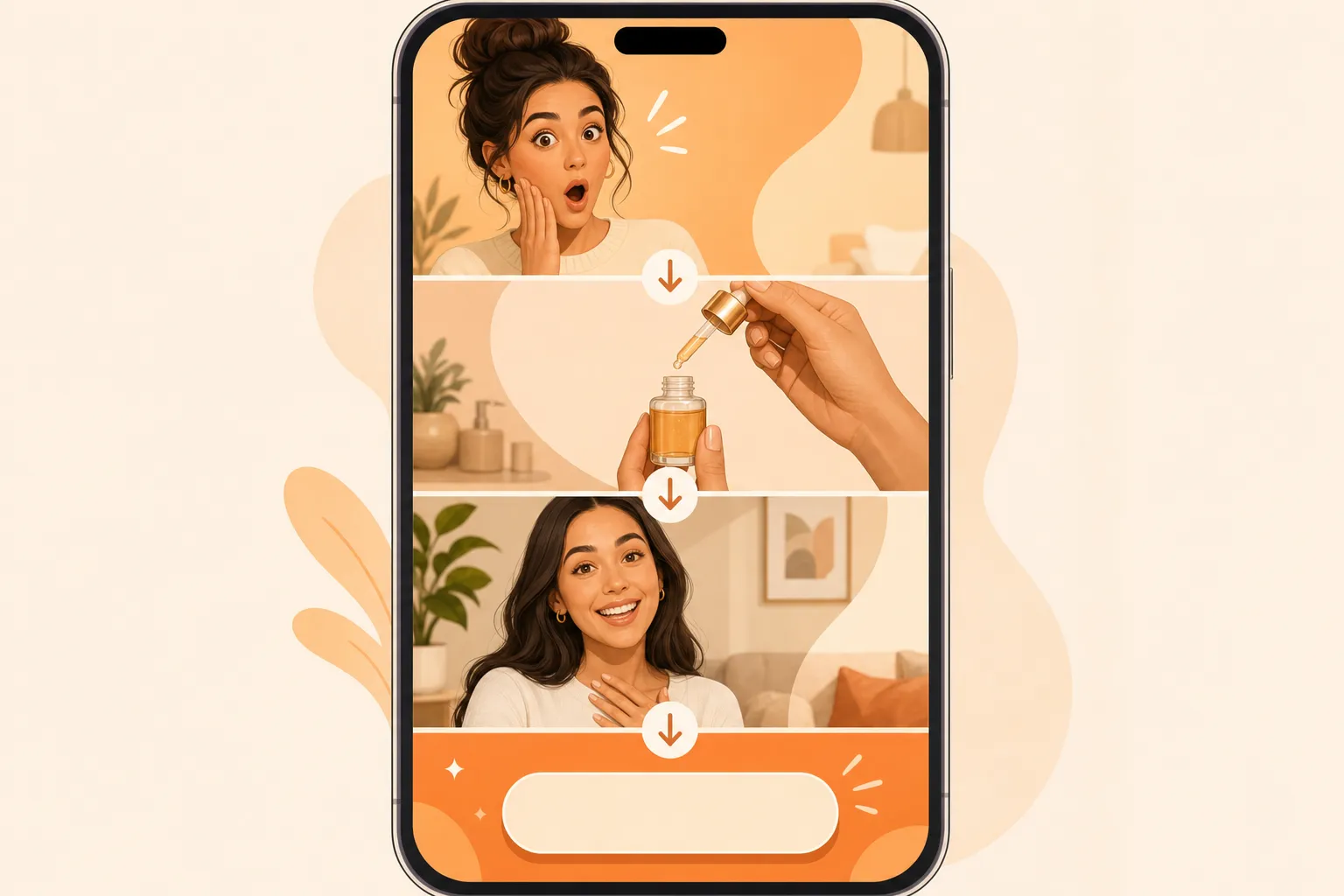
- Hook — 0–2s. The first frame decides everything. Patterns that work in 2026: the problem state ("My morning routine was 20 minutes of wasted time"), the honest skeptic ("I didn't believe the ads, then I tried it"), the pattern interrupt ("Wait for the end"). Never open with a logo; never open with a slow brand shot.
- Proof — 2–15s. The product in action, in a real context: unboxing, application, side-by-side, routine integration. Reels audiences trust imperfect, real-looking proof over studio polish. A 15-second Reels ad should have one product, one mechanism, one result.
- Social proof — 10–20s. A testimonial beat — the creator's honest take, a rating, a "here's my week-two update". This is where saves happen: viewers save ads they want to come back to, so structure the proof so it's worth returning to.
- CTA zone — last 1–3s + bottom third. Meta overlays its own CTA button. Verbally say the action ("tap Shop Now", "link in the ad"), keep the bottom third quiet visually, and make the last frame a clean repeat of the product so the viewer sees it right as the CTA appears.
Campaign setup: Reels placement in Ads Manager
Reels ads run through the standard Meta Ads Manager flow, with three settings that matter:
- Placement. Reels appears under Instagram placements. You can run Reels-only (Instagram Reels) or include Facebook Reels, Stories, and Feed — Meta's Advantage+ placements will optimize automatically, but if you're testing creative specifically for Reels, start with Reels placement alone so the creative feedback loop is clean.
- Advantage+ creative. Meta's automated creative optimization can adapt assets across placements — a 9:16 Reels master can be cropped or extended for other surfaces. The tradeoff is control: if your brand marks and safe zones are important, upload native ratios per placement instead of letting Advantage+ crop them. Our Meta creative testing guide covers the test design.
- Objective and CTA. Sales and Traffic objectives expose the full CTA set (Shop Now, Learn More, Sign Up). The CTA you choose changes Meta's overlay placement, which is why the safe-zone guidance shifts slightly by objective — check the safe zone reference for the CTA you're using.
The production rule that follows: one 9:16 master per hook, with the top ≈14% and bottom ≈35% designed as safe from the first frame. That master then runs Reels-native without cropping surprises.
Per-niche Reels playbooks
Fashion and apparel
Hook: the transition or the fit check. "POV: the dress that actually fits" or a mirror-morph transition. Tone: trend-aware, confident. Product reveal: full-body, fabric close-up, styling options. Compliance: honest sizing, real inventory, no fake "almost sold out" framing. Fashion Reels over-index on saves and shares, so design a "3 ways to style it" beat that begs to be saved.
Beauty and skincare
Hook: the routine or the honest review. "This is my 5-step routine that fixed my winter skin" or the skeptic format. Tone: personal, slightly intimate. Product reveal: application close-up, texture shot, before/after with honest framing. Compliance: cosmetic-language only ("improves the appearance of fine lines"), no drug claims ("reduces wrinkles", "treats acne"), and no misleading before/after transformations — see our beauty compliance playbook.
Home and gadgets
Hook: the before/after or the "wait for it". "My drawers before and after" or "This $30 gadget replaced three appliances". Tone: practical, a little deadpan. Product reveal: the problem state first, then the product solving it. Compliance: the transformation must be real and achievable — Meta's policies on exaggerated results apply to home products as much as to beauty.
Food and beverage
Hook: the recipe or the sensory moment. "3-ingredient pasta I make twice a week" or a sound-on sizzle shot. Tone: warm, sensory. Product reveal: finished dish, ingredient close-up, packaging at the end. Compliance: honest portion/calorie framing where claimed; original audio or Meta Sound Collection tracks only — licensed music is a Reels ad killer.
Fitness and wellness
Hook: the quick win or the routine reveal. "7 minutes, no equipment, do this every morning" or "This is what 30 days of consistency looks like". Tone: encouraging, realistic. Product reveal: the movement, the app screen, the streak. Compliance: no unqualified results claims, no "get shredded in 30 days" promises, and health-claim language must be substantiated — the same bar covered in our supplements compliance playbook.
Cost math: building a Reels creative pipeline
The DTC reality: Reels creative has a short shelf life, and Meta's delivery favors fresh assets. A brand running, say, 20 Reels videos a month (5 hooks × 4 niches/variants, refreshed weekly):
| Channel | Cost per video | Turnaround | Monthly (20 videos) |
|---|---|---|---|
| Creative agency (short-form) | $500–$2,500 | 2–4 weeks | $10,000–$50,000 |
| In-house video editor | $200–$800 | 3–7 days | $4,000–$16,000 |
| Freelance UGC creator | $100–$500 | 2–5 days | $2,000–$10,000 |
| AI UGC pipeline (Prizmad) | ≈$7–13 per finished ad | under 10 min | ≈$142–260, same day |
The AI line uses current plan pricing: Launch $39/mo for 3,000 tokens (≈3 finished avatar ads), Starter $99/mo for 8,000 tokens, Pro $249/mo for 35,000 tokens (per Prizmad pricing). The strategic point isn't just cost — it's the refresh cadence. Reels rewards volume and variety; the teams that win are the ones that can ship new hooks weekly instead of quarterly, and that's a production-capacity question before it's a budget question.
Compliance and platform notes for Reels creative
- Licensed music is the #1 Reels ad rejection. Meta's Ads Guide is explicit: Reels ads must not contain licensed music. Use original audio or royalty-free tracks from the Meta Sound Collection. This catches more advertisers than claim violations — a trending song in your ad can get it rejected or muted even when everything else is perfect.
- No face/camera effects or GIFs. Reels ads can't contain media with a face or camera effect (the AR filter family) or GIFs. If your AI UGC pipeline adds a filter-style effect, remove it before upload.
- AI disclosure. Meta requires labeling of realistic AI-generated content in ads, including synthetic presenters. Label AI UGC with realistic performers; our AI ad disclosure guide has the current requirements.
- Health claims. Fitness, beauty, and supplement Reels ads carry the same claim rules as every Meta placement: no unqualified results, no before/after transformation promises for general cosmetic products, substantiation required for health-related claims.
- Product tags are for organic Reels, not ads. Reels ads must not contain product tags — the shopping overlay comes from the ad's own setup, not from tagging inside the video.
Frequently asked questions
What is Prizmad?
Prizmad is an AI ad agent for ecommerce brands. Paste a product link or describe your product in a chat, and the agent — trained on 60M+ ad creatives — writes the hooks and script, casts an AI actor and voice, and delivers ready-to-post video ads for TikTok, Reels and Shorts in about 5 minutes.
What are AI UGC ads?
AI UGC ads (AI-generated user-generated content ads) are video advertisements that use AI avatars, synthetic voiceovers, and automated editing to replicate the authentic, creator-style content traditionally filmed by real influencers or users. Prizmad generates AI UGC video ads from any product URL in minutes — at a fraction of the cost of hiring human UGC creators.
How long does it take to generate a video?
Most videos are ready within 5 minutes. Complex ads with custom avatars may take up to 10 minutes. You'll receive a notification when your video is ready.
Do I need video editing experience?
Not at all. You just chat: paste a product link, say what you want, and the agent handles the script, actor, voice and editing. Want a change? Ask in plain words.
Do I need a product link to get started?
No. A link is the fastest start — paste a page from Shopify, Amazon, Etsy or any store and the agent reads it. Or just describe your product in the chat.
Can I edit the AI-generated script?
Yes. The agent shows you the hooks and script before anything renders — edit any line yourself or ask it to ("make the hook punchier", "shorter CTA").
What platforms can I publish to?
Export videos ready for TikTok, Instagram Reels, Facebook Ads, YouTube Shorts, Shopify, and Amazon. All standard formats are included: 9:16 (vertical), 1:1 (square feed), and 16:9 (landscape) — all in Full HD 1080p.
How does AI UGC compare to hiring human UGC creators?
Traditional UGC creators charge $500–$2,000 per video and take 1–3 weeks to deliver. AI UGC ads from Prizmad cost approximately $7–13 per video (depending on your plan), generate in about 5 minutes, and can be produced in unlimited variations for A/B testing — in 15 languages from a single product link.
Do I own commercial rights to my AI-generated ads?
Yes. You own full commercial rights to every video ad you generate with Prizmad. Use them on any advertising platform, in any market, for as long as you want — no additional licensing fees.
Is it legal to run AI-generated video ads on TikTok, Meta, and Google?
Yes. AI-generated video ads are permitted on major ad platforms including Meta (Facebook and Instagram), TikTok, Google, and YouTube, provided they comply with each platform's advertising policies and any applicable AI-content disclosure requirements. You own full commercial rights to every video ad generated with Prizmad and can run them on any advertising platform without additional licensing fees.
How do tokens work?
Chatting with the agent is free — tokens are spent only on what it generates, like videos, images and voiceovers. A finished video ad with an AI avatar costs around 1,000 tokens; simpler videos cost far less. Launch includes 3,000 tokens, Starter 8,000 and Pro 35,000. Plan tokens refresh each billing cycle; top-up tokens never expire.
Can I cancel my subscription?
Yes, you can cancel anytime from your account settings. You'll keep access until the end of your billing period. No questions asked.
Ready to feed the Reels auction? Paste your product URL into the Prizmad generator and get a 9:16 UGC-style Reels ad in about five minutes — hook, proof, and a quiet CTA zone built in — then upload the master to Ads Manager and let Meta's delivery do the rest.