
Kapwing Review (2026): Credit-Based Pricing, Full Editor, No Ad Generation
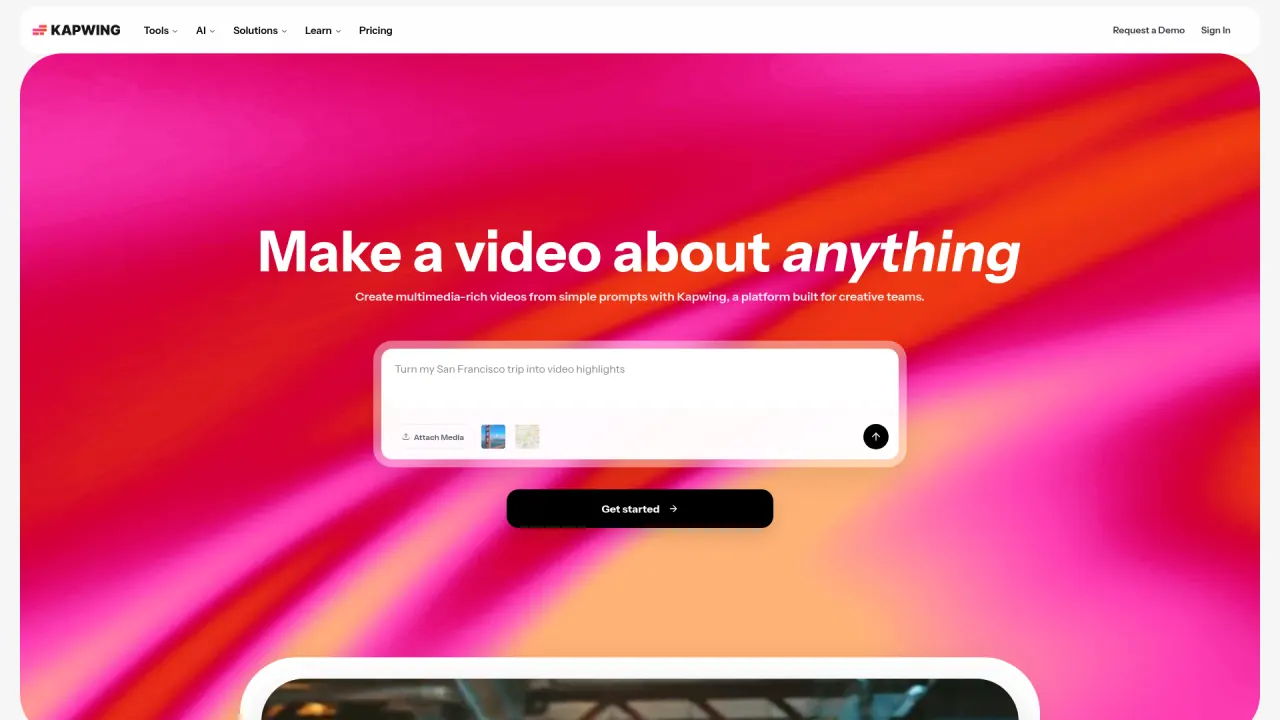
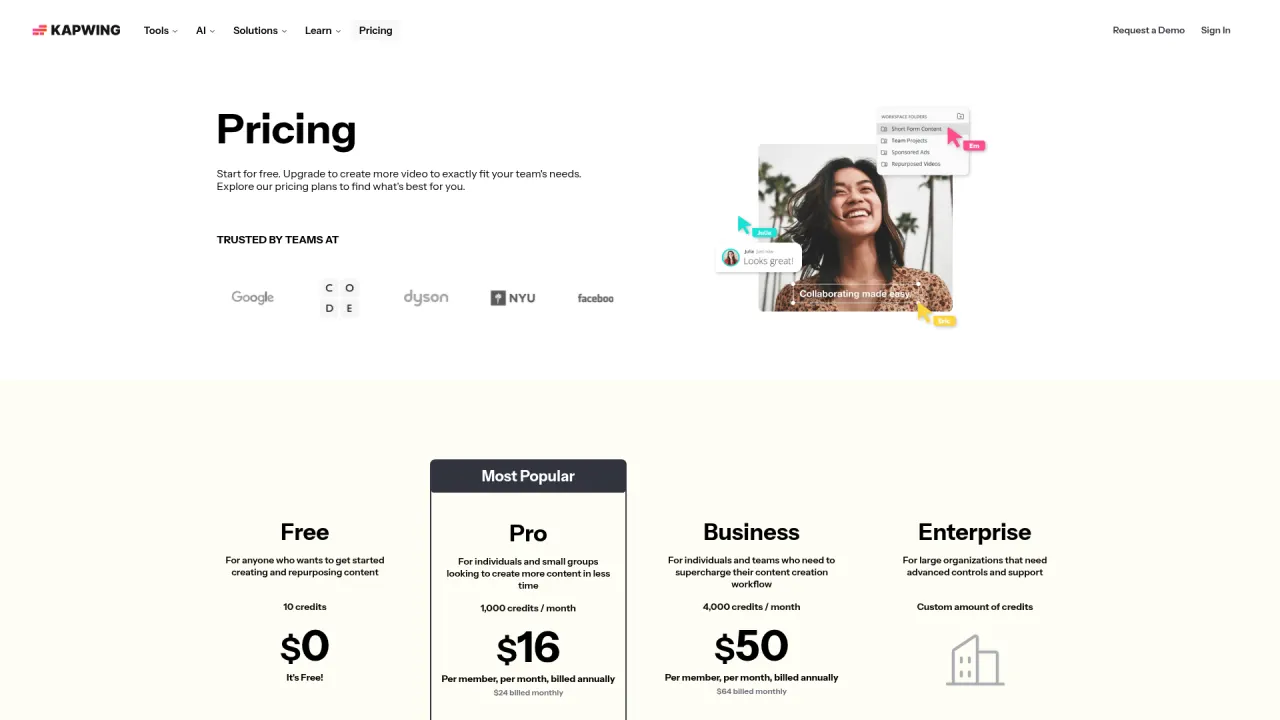
Kapwing is a full browser video editor — timeline, subtitler, resizer, dubbing — wrapped around a growing set of AI tools (script generator, B-roll generator, AI video generator, character consistency), used by teams at Spotify, Dyson, and Verizon per its own homepage. Verified July 2026 pricing: Free (10 credits, watermarked, 720p), Pro $16/mo billed yearly ($24/mo monthly, 1,000 credits/mo, 4K, no watermark), Business $50/mo billed yearly ($64/mo monthly, 4,000 credits/mo, voice cloning, lip sync). Credits meter AI features (subtitling minutes, dubbing minutes, text-to-speech), not raw exports — a real editor with AI bolted on, not an AI-first ad generator. It has no product-URL ingestion and its avatar/character tooling is early relative to dedicated AI UGC platforms.
What is Kapwing?
Kapwing started as a browser-based video editor — cut, trim, resize, add text and effects — and has spent the last few years layering AI tools on top of that same timeline-first product: a script generator, an AI video generator that creates footage from a prompt, a B-roll generator, character consistency for reusing an AI persona across projects, an AI video editor mode, and Smart Cut for automatic silence removal. The result is a single workspace that covers both manual editing and AI-assisted generation, rather than a pure AI generator with no editing depth.
Its 'Repurpose Studio' and Clip Maker cover the same long-video-to-shorts job as OpusClip, Vizard, and Klap, with speaker-focus auto-resize and text-based trimming (edit the transcript, the video follows). Dubbing translates dialogue into 40+ languages, and the Video Generator can produce a video from a text prompt without any source footage — closer to a from-scratch generation tool than the pure clippers in this review set, though it's positioned as one editor feature among many rather than a dedicated ad-creation pipeline.
Pricing runs on a monthly credit pool rather than flat per-feature limits: Free gives 10 credits (auto-subtitling up to 10 minutes, TTS up to 2 minutes, 720p watermarked exports capped at 1 minute); Pro's 1,000 credits/mo unlock 4K exports, unwatermarked output, up to 1,000 minutes of auto-subtitling and 50 minutes of dubbing; Business's 4,000 credits/mo add voice cloning and lip sync. Export length caps at 120 minutes on every paid tier — Kapwing is built for full videos, not just short clips.
The category gap for DTC advertisers: there's no product-URL ingestion, no dedicated ad-script generator tied to a product page, and no library of tested UGC-style avatars — 'Character Consistency' lets you reuse one AI-generated persona across edits, but it's a general editing feature, not an ad-creative pipeline with 50+ avatars and a script engine built around conversion copy.
Official site: www.kapwing.com
Kapwing up close
Kapwing key features
Full timeline editor plus AI tools in one workspace
Kapwing is a real multi-track editor (transitions, effects, stock library) rather than a single-purpose AI wrapper, so teams that need both manual polish and AI-assisted repurposing don't have to switch tools. The tradeoff is a steeper interface than dedicated single-purpose generators.
Credit-metered AI features, not flat per-export limits
Auto-subtitling, auto-translating, text-to-speech, clean audio, and lip sync all draw from the same monthly credit pool, with tier-specific minute caps (e.g. 1,000 min/mo subtitling on Pro, 4,000 on Business). This is more flexible than a fixed per-feature quota but requires tracking usage across several feature types rather than one number.
Repurpose Studio and Clip Maker
Covers the same long-video-to-shorts job as dedicated clippers, with Find Scenes (scene-change detection) and Speaker Focus (auto-resize following the speaker). It's a capable feature within a broader editor rather than a category-leading standalone clipper — teams comparing purely on clipping quality should still benchmark against OpusClip or Vizard.
AI Video Generator and Script Generator
Generates video from a text prompt and turns ideas into scripts in a few clicks — genuine from-scratch generation capability, unusual among browser editors. It's positioned as one tool among many rather than a dedicated, conversion-tuned ad pipeline, and there's no product-URL ingestion to seed the script from an actual listing.
Dubbing in 40+ languages and Clean Audio
Translates dialogue into 40+ languages and automatically removes background noise, corrects loudness, and reduces popping — both metered by the credit system (dubbing minutes separate from subtitling minutes). Useful for localizing existing content; doesn't generate new voiceover from text at the same fidelity as dedicated AI voice platforms.
Character Consistency and Lip Sync (Business)
Lets you create an AI character for reuse across projects and generate lip sync for persona layers and dubbed projects — Kapwing's closest feature to an AI avatar, but it's a single reusable character rather than a curated library of 50+ tested personas, and it's gated to the Business tier and above.
Kapwing pricing
| Plan | Price | What you get |
|---|---|---|
| Free | $0 | 10 credits/mo, unlimited watermarked exports up to 1 min, 720p, auto-subtitling up to 10 min, TTS up to 2 min |
| Pro | $16/mo billed yearly ($24/mo billed monthly) | 1,000 credits/mo, no watermark, 6GB uploads, 4K export, projects up to 2 hrs, up to 1,000 min/mo auto-subtitling, 50 min/mo dubbing, brand kit, 100GB storage |
| Business | $50/mo billed yearly ($64/mo billed monthly) | 4,000 credits/mo, voice cloning, lip sync, up to 4,000 min/mo auto-subtitling, 200 min/mo dubbing, purchasable extra credits, 500GB storage |
| Enterprise | Custom | Custom credit amount, custom billing, dedicated account manager, SSO, priority support |
Prices verified August 2026 directly on kapwing.com/pricing, which defaults to the annual-billing view: Pro $16/mo billed yearly ($24/mo billed monthly), Business $50/mo billed yearly ($64/mo billed monthly). Free tier gives 10 credits/mo with hard 720p/1-minute export caps rather than unlimited light use.
Pros and cons
What Kapwing does well
- Genuine full-featured editor (multi-track timeline, transitions, stock library) — not just a thin AI wrapper
- Broad AI toolset in one workspace: script generation, video generation, dubbing, B-roll generation, clip repurposing
- Credit pool covers multiple AI feature types flexibly, rather than gating each one behind a separate hard limit
- Trusted-by roster (Spotify, Google, Dyson, Harvard, Verizon) suggests the pipeline holds up at real organizational scale
- Character Consistency and lip sync (Business) are a step toward reusable AI personas most pure editors don't offer
Where it falls short
- No product-URL ingestion — nothing seeds a script or ad concept directly from a product listing
- No curated avatar library; Character Consistency is a single reusable AI persona, not 50+ tested personas built for UGC-style ads
- Free tier is genuinely thin: 1-minute export cap and 10 credits total limit real evaluation of the AI features
- Credit system spans several feature types (subtitling minutes, dubbing minutes, TTS minutes) — tracking real usage takes more attention than a single flat quota
- Voice cloning and lip sync are Business-tier only ($50/mo billed yearly), pricier than a dedicated avatar generator's entry tier
Kapwing vs Prizmad
Kapwing and Prizmad solve adjacent but different problems. Kapwing is a general-purpose video editor with AI features layered in — useful for a marketing team that edits many kinds of video (explainers, social clips, internal training, repurposed long-form) and wants one workspace for all of it. Prizmad is a single-purpose pipeline: paste a product URL, get a finished UGC-style ad — script, one of 50+ AI avatars, AI voiceover, captions, music — in about 5 minutes, with an AI Studio of 30+ additional tools built specifically around ad creative.
If your team already edits a mix of video content and wants AI assistance bolted onto a familiar timeline, Kapwing's Pro tier ($16/mo billed yearly) is a reasonable, broad toolkit. If the actual job is 'generate a new ad creative from this product page, repeatedly, at volume,' Kapwing has no ingestion path for that — you'd be manually scripting and assembling each ad inside a general editor. That's exactly the gap Prizmad's token plans (Launch $39/mo for 3,000 tokens, Starter $99/mo for ~8 avatar videos, Pro $249/mo for ~35 videos, full commercial rights) are built to close.
| Kapwing | Prizmad | |
|---|---|---|
| Core job | General video editing + AI-assisted repurposing/generation in one workspace | Product URL in → finished UGC-style ad out |
| Entry paid price | $16/mo billed yearly Pro (1,000 credits) | $39/mo Launch (3,000 tokens) |
| Free tier | 10 credits/mo, 1-min export cap, 720p, watermarked | Free signup, no credit card |
| Needs existing footage | For editing/repurposing, yes; AI Video Generator can create from a prompt | No — generates script, avatar, voiceover, and product creatives from a URL |
| Product-URL ingestion | None | Yes — the entire pipeline starts from a product link |
| AI avatars / voiceover | One reusable AI character (Character Consistency, Business tier), lip sync, dubbing | 50+ avatars, AI voiceover, lip-sync |
| General editing depth | Full multi-track timeline, transitions, stock library, dubbing in 40+ languages | Purpose-built ad assembly, not a general timeline editor |
| Best-fit user | Marketing/training/education teams editing varied video content who want AI features in the same tool | DTC founders and media buyers originating ad creative at volume |
Who should use Kapwing?
Choose Kapwing if
- Teams that edit a mix of video types (marketing, training, social) and want AI tools inside a familiar timeline editor
- Users needing dubbing across 40+ languages alongside general editing, not just clipping
- Organizations already invested in Kapwing's Business tier for voice cloning and lip sync on existing personas
- Anyone wanting a single workspace for both manual polish and AI-assisted repurposing, rather than juggling separate tools
Look elsewhere if
- DTC marketers who need ad creative generated from a product URL — there's no ingestion path for that job
- Teams wanting a curated library of tested UGC-style avatars — Character Consistency is one persona, not 50+
- Budget testers — the free tier's 1-minute export cap and 10 total credits barely cover a real trial of the AI features
- Anyone comparing purely on clipping quality against category leaders like OpusClip or Vizard without also needing general editing
Top Kapwing alternatives
Want the full ranked list with pricing? Kapwing alternatives — 5 tools compared.
OpusClip
Best-in-class clip selection with a genuine 60 min/mo free tier — narrower focus than Kapwing's full editor.
Descript
Text-based editing pioneer with AI voice cloning and overdub — closer competitor on the editing-plus-AI positioning.
Vizard
Credit-per-minute clipper with a strong in-browser editor and generous 60 min/mo free tier.
Prizmad
Not a general editor: generates finished UGC-style ads from a product URL in ~5 minutes — covers the ad-creation job Kapwing's AI tools don't directly target.
Kapwing review verdict
Kapwing earns its 3.9 as a genuinely broad, credit-metered editor that layers real AI capability — script generation, dubbing, video generation, clip repurposing — onto a full timeline rather than shipping a thin single-purpose wrapper. The enterprise-scale trusted-by roster (Spotify, Google, Dyson, Harvard) and the sheer breadth of tools are real strengths. The deductions: the free tier's 1-minute export cap makes real evaluation hard, voice cloning and lip sync sit behind the pricier Business tier, and there's no product-URL ingestion or curated avatar library for anyone specifically building ad creative.
The honest recommendation: if your team edits varied video content and wants AI assistance without leaving a familiar timeline, Kapwing's Pro tier ($16/mo billed yearly) is a legitimate, well-rounded choice. If your specific job is generating UGC-style ad creative from a product page, repeatedly, at volume — Kapwing's breadth doesn't substitute for a purpose-built pipeline.
That's the category boundary that applies here as it does throughout this review set: Kapwing is an editor with AI tools attached, not an ad-generation engine. For the specific job of product URL → finished ad, Prizmad (about 5 minutes per ad, from $39/mo) remains the more direct tool.
Rating: 3.9/5 · Last reviewed 2026-08-01 · Prices and limits change often in this space — if you spot something outdated, tell us.
Kapwing — frequently asked questions
Is Kapwing worth it in 2026?
Yes, for teams that need a full video editor with AI features bolted on — dubbing, subtitling, script generation, clip repurposing — in one workspace. Verified August 2026 pricing: Free (10 credits, 1-min export cap), Pro $16/mo billed yearly ($24/mo monthly), Business $50/mo billed yearly ($64/mo monthly). It's not the right tool if you need ad creative generated directly from a product URL.
How much does Kapwing cost?
Verified August 2026 on kapwing.com/pricing (defaults to the annual view): Free $0 (10 credits/mo, 1-min export cap, 720p, watermarked), Pro $16/mo billed yearly (1,000 credits/mo, 4K, no watermark) or $24/mo billed monthly, Business $50/mo billed yearly (4,000 credits/mo, voice cloning, lip sync) or $64/mo billed monthly, and custom Enterprise pricing.
Does Kapwing have a free plan?
Yes, but it's thin: 10 credits/mo, exports capped at 1 minute in 720p with a watermark, auto-subtitling up to 10 minutes, and text-to-speech up to 2 minutes. It's enough to test the interface but not enough for a real evaluation of the AI feature set at volume.
How does Kapwing's credit system work?
Credits are a shared monthly pool that meters AI-powered features — auto-subtitling, auto-translating, text-to-speech, clean audio, dubbing, lip sync — each with its own per-tier minute cap (e.g. up to 1,000 min/mo subtitling on Pro, 4,000 on Business). Manual editing (cutting, resizing, adding text) doesn't consume credits; only the AI-assisted tools do.
Can Kapwing make ads for my product?
Not directly. Kapwing has no product-URL ingestion and no ad-specific script engine — its AI Video Generator and Script Generator work from a text prompt or idea, not a live product listing, and its avatar tooling (Character Consistency) is one reusable persona rather than a curated UGC-avatar library. Prizmad turns a product URL into a finished UGC-style ad with avatar, voiceover, captions, and music in about 5 minutes.
Kapwing vs Descript — which is better?
Both combine a real editor with AI features rather than being pure AI generators. Descript leads on text-based editing precision and voice cloning (Overdub); Kapwing leads on breadth — dubbing in 40+ languages, an AI video generator, and a broader stock/effects library. Teams should trial both on the same source video, since the better fit depends on whether voice-cloning fidelity or general editing breadth matters more.
Does Kapwing support multiple languages?
Yes — auto-translating covers over 60 languages for subtitles, and dubbing translates dialogue into 40+ languages with corresponding lip sync on Business. Both draw from the same credit pool as other AI features, with per-tier minute caps.