
Mobile App Install Video Ads: The 2026 Playbook (UAC & More)
App install video ads in 2026: verified Google UAC specs, Apple App Preview rules, Google Play requirements, and the first-3-seconds hook playbook.
On this page
The most expensive second in mobile marketing is the first one of your install video. App install ads run against the most impatient audience in advertising — someone mid-scroll, mid-game, or mid-task who will not wait to find out what your app does. Google's own guidance for App campaigns is blunt: the average person scrolls past an ad in under 30 seconds, and the hook has to land in the first 3. Yet most install creative still opens with a logo, an app icon, or a slow brand shot — three ways to guarantee the viewer never learns what the app actually does.
This playbook covers the verified 2026 asset specs for the three store-adjacent surfaces that matter — Google App campaigns (UAC), Apple App Store App Previews, and Google Play listing videos — the first-3-seconds hook framework, per-niche patterns for games vs utility vs shopping apps, store-listing compliance, and the cost math of a creative pipeline that can keep up with UAC's appetite for fresh video.
Why app install video is its own craft
App install advertising is different from ecommerce or real estate video in four ways:
- The conversion is one tap away. The viewer can install in the same session, so the video's job is not to build a brand — it's to remove the reason to hesitate. That changes pacing: show the app working early, don't tease it.
- The platforms assemble your ads. Google App campaigns and Meta's app campaigns take your assets and build the final ads across placements. You don't write "one ad"; you feed a system enough good raw material to test combinations.
- The store listing is part of the funnel. The ad gets the tap; the store page closes the deal. Your video creative and your store listing video should tell the same story — a mismatch between the ad's promise and the listing's screenshots is a classic install-to-crash of conversion.
- The creative has a short shelf life. UAC reward new creative heavily; install costs climb as assets age. The constraint is not "make one good video" — it's "keep making good videos," which is the production-cost problem again.
The 2026 spec sheets (verified against official documentation)
Google App campaigns (UAC) video assets
Verified against Google's App campaigns documentation, the App campaigns asset requirements, and Google's App campaigns best-practices guidance on the day this guide was written:
| Parameter | Requirement | Recommendation |
|---|---|---|
| Video count | Up to 20 videos per ad group | Upload as many as possible (10+) so the system has options |
| Video source | Full YouTube URL (videos hosted on YouTube) | Unlisted links work; never private |
| Duration | At least 10 seconds | 10–30 seconds is the optimal range |
| Orientations | 16:9, 1:1, 9:16 | Portrait 9:16 is effectively required — Shorts and interstitial placements need it |
| Resolution | — | 1080p minimum recommended |
| File format | YouTube handles encoding | Upload MP4 (H.264) as the source |
| Ad group assets | Up to 20 images, 5 headlines, 5 descriptions | Provide images at 1.91:1, 1:1, 4:5 alongside video |
App campaigns serve across Search, Google Play, YouTube, Discover, and the Google Display Network. The campaign types are App campaigns for installs, App campaigns for engagement (ACe), and App campaigns for pre-registration. Video is optional in the strictest sense — Google can auto-generate video from your other assets — but accounts that upload real video consistently control quality and performance.
Portrait is no longer optional. Google's app-campaign creative guidance and the broader 2026 YouTube inventory shift mean a 9:16 portrait video is the highest-value asset you can supply: it feeds Shorts placements, interstitial formats, and Play surfaces, and it's the format mobile users are already looking at.
Apple App Store — App Previews
Verified against Apple's App Preview specifications and the App Store product-page documentation:
| Parameter | Requirement |
|---|---|
| Maximum length | 30 seconds per preview |
| Number per localization | Up to 3 App Previews |
| Mac resolution | 1920×1080 pixels (landscape) |
| iPhone / iPad | Must be recorded on device (iPhone with 6.5-inch display and iOS 8+, iPad with 13-inch display, or Apple Vision Pro per Apple's upload guide) |
| Capture | Real device screen recording — no animated mockups, no fake UI |
| Poster frame | You set the poster frame that shows before playback |
| Processing | Up to 24 hours after upload |
Apple is strict on the source: App Previews must be footage captured on a real device — you cannot upload a motion-graphics render of your UI as a preview. The 30-second cap is a hard limit, and Apple explicitly recommends showing the app experience (not branding) in those 30 seconds.
Google Play — store listing video
Verified against Play Console's preview asset documentation and Play's listing requirements:
| Parameter | Requirement / Note |
|---|---|
| Video | Added in the "Graphics" section of Main store listing |
| Autoplay | Your preview video may autoplay inline with muted audio up to 30 seconds depending on device, setting, and network |
| Feature graphic | Required, 1024×500 px, JPEG or 24-bit PNG (no alpha) — used as cover for the preview video |
| Short description | 80 characters max |
| Long description | 4000 characters max |
| Play policy | Listing copy can't use "Best," "#1," "Top," "New," "Discount," "Sale," or install CTAs ("download now," "install now") |
Google Play's own docs note the first 30 seconds is what autoplays (muted) — so the opening of the Play listing video has to work without sound, exactly like an ad. Third-party ASO guides commonly recommend keeping the full listing video between 30 and 120 seconds, with 45–90s the practical sweet spot (per SplitMetrics and AppRadar's 2026 guidelines) — the autoplay window is what earns the watch, the rest is confirmation.
Meta app install campaigns
Meta runs app installs through its Advantage+ app campaigns. The same Meta video specs apply as in our real estate guide: 4:5 (1080×1350) for Feed, 9:16 (1080×1920) for Stories/Reels, 1:1 supported; MP4/MOV, H.264, AAC 128kbps+. App install ads can also run as playable ads (HTML5, single .html file, up to 5MB, mraid.js required, 15–60 seconds recommended per Google's playable specs — Meta's playable format has its own upload flow in Ads Manager).
The first-3-seconds hook framework
The first 3 seconds are the ad: show the app working, not the logo. The rest is proof and CTA.
- 0–3s: the app in action, not the brand. Open on the actual product — gameplay, a filter being applied, a task completing, a result appearing. The single most common install-video mistake is starting with the logo; that's the frame where the viewer decides whether to keep watching. Text overlay should state the value in one clause: "Plan trips in 10 seconds," "Your photos, edited," "No more queueing."
- 3–10s: the specific win. Show one concrete feature that solves a real annoyance. Feature-driven beats lifestyle for installs: "scan any receipt and it's logged" outperforms "simplify your finances." On sound-off placements (most of them), the feature has to read visually — burned-in captions or clear on-screen UI labels.
- 10–20s: proof and differentiation. One more feature or a credibility beat — rating, user count, a before/after. UAC will cut and combine your videos anyway, so each beat should stand alone; think of the video as three swappable modules, not one narrative arc.
- Last 3s: the CTA. "Install" / "Get it free" / "Play now" — verbally and visually. The platforms overlay their own CTA buttons on top of the creative, so keep the bottom third of the frame clear of critical text.
The same modular structure means one master can be re-cut per platform: a 15s version for Meta, a 30s version for YouTube, and a 30s store preview for Apple (recorded on device) — all sharing the same beats.
Per-niche patterns for app install video
Different app categories convert on different instincts. Games, utility, and shopping apps need different hooks — the first 3 seconds stay app-in-action either way. The patterns that hold up in 2026:
Games
Hook: the "almost succeeded" mechanic. Game installs convert on the itch — show a level almost won, a combo almost landed, a building almost built. Text overlay with a direct promise ("Beat level 10 today") beats abstract fantasy shots. UAC's portrait placements skew heavily to games, so 9:16 is the master orientation. Playable ads (15–60s HTML5) are the highest-fidelity game format where they're available.
Utility and productivity
Hook: the before/after of a task. "Voice notes, transcribed in seconds," "Your tabs, organized," "One app for every password." Utility apps convert on relief, so show the friction first (a mess, a queue, a stack of papers) and the resolution second. Ratings matter more in this category than any other — a "4.8★, 2M downloads" beat late in the video is often the deciding frame.
Shopping and commerce
Hook: the product or the deal, not the app. Shopping apps are a means to an end, so the video should lead with what the user wants ("This dress, 40% off today") and reveal the app as the vehicle. Coupon/price-drop apps should show the saving; marketplace apps should show the product range. Keep it honest — the deal in the video must exist in the app or the install-to-purchase path breaks.
Health and fitness
Hook: the result, clearly qualified. "7-minute workouts, no equipment" works; "get shredded" doesn't (and trips health-claim policy). Show the routine, the tracking screen, the streak — and read the platform's health policies, which restrict unqualified claims and before/after transformation promises. The same compliance bar we cover in our beauty and supplements guides applies here.
Store-listing video: the second half of the funnel
The ad earns the tap; the store page earns the install. Three rules that matter most:
- Tell the same story. If the ad promises "track any expense automatically," the listing video should open with that same feature. A mismatch between ad and listing is the fastest way to spend money producing a look, not a download.
- Design for muted autoplay. Google Play autoplays your preview muted for up to 30 seconds. The opening of the Play video must work without sound — big UI, clear visuals, on-screen labels. Apple's App Previews play with sound on the product page, but a large share of browsing happens muted anyway; captions are cheap insurance.
- Respect the store's copy rules. Google Play prohibits ranking/price language and install CTAs in listing copy ("Best," "#1," "Download now") — those rules apply to the description and to text overlays in your assets. Apple's App Preview rules require real-device footage; don't submit an animated mockup and get it rejected in review.
The production trick: your 15–30s ad cut is 80% of the store preview. For iOS, re-record the same flow on a real device and trim to 30s; for Play, use the same master with a clean title card (the feature graphic 1024×500 is the cover).
Cost math: AI pipeline vs studio vs agency
The budget question for an app team that wants, say, 12 install videos a month (4 hooks × 3 orientations, refreshed monthly):
| Channel | Cost per video | Turnaround | Monthly (12 videos) |
|---|---|---|---|
| App-marketing agency | $800–$2,500 | 2–4 weeks | $9,600–$30k |
| In-house editor + UA lead | $300–$800 | 3–7 days | $3,600–$9,600 |
| Freelance UA creative | $150–$500 | 2–5 days | $1,800–$6,000 |
| AI pipeline (Prizmad) | ≈$7–13 per finished ad | under 10 min | ≈$85–156, same day |
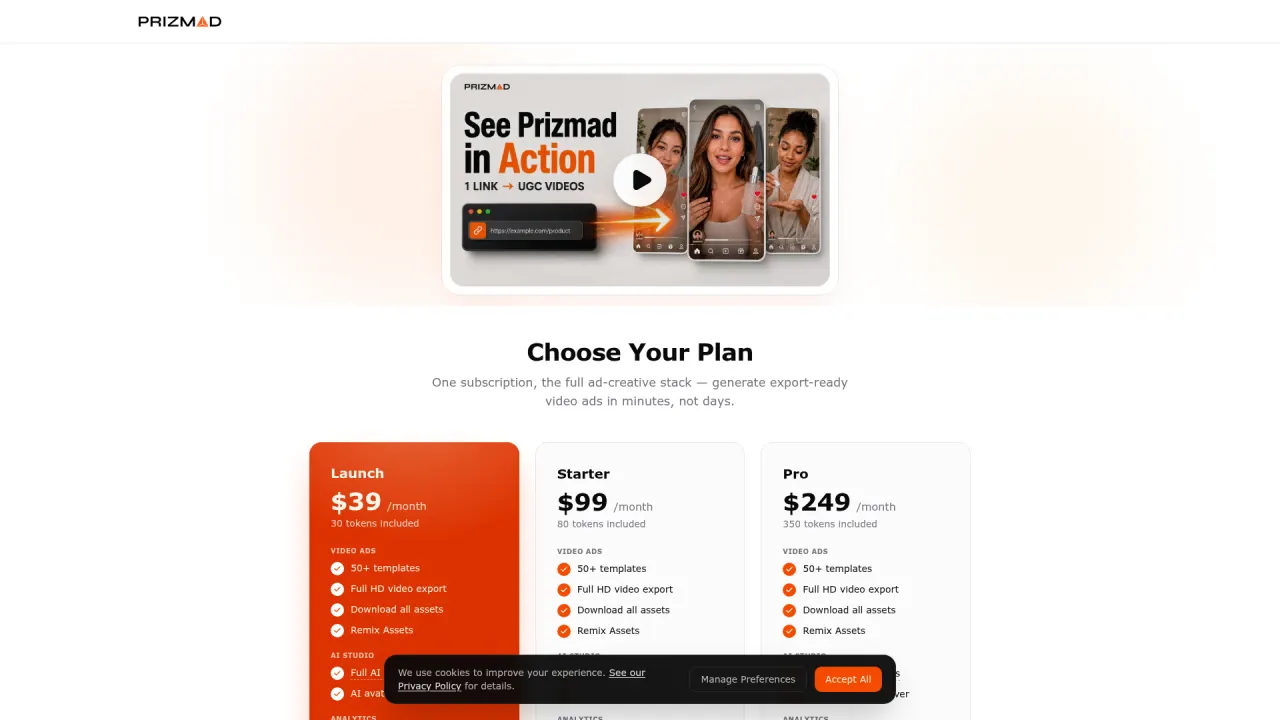
The AI line is a conservative estimate based on current plan pricing (Launch $39/mo for 3,000 tokens, roughly 3 finished avatar ads; Starter $99/mo for 8,000 tokens; Pro $249/mo for 35,000 tokens, per Prizmad pricing). UAC explicitly rewards fresh creative — the teams that win are the ones that can ship new hooks weekly, not quarterly, and that's the economics question AI pipelines answer.
Compliance and platform notes for install creative
- Google's synthetic-content disclosure. If your install video uses AI-generated presenters, realistic avatars, or altered footage of real people, apply Google's altered/synthetic content label in Ads — the same rule that applies to every Google placement.
- Store listing honesty. Google Play and Apple both police misrepresentation. The app's actual features, price, and permissions must match what the video shows. A video that demoes a feature the app doesn't have is both a policy violation and a crash in the install-to-retention funnel.
- Health claims (if applicable). Fitness, health, and finance apps carry category-specific rules — no unqualified results claims, no misleading financial guarantees. The policy doesn't relax because the creative is AI-generated.
- App store preview rules are non-negotiable. Apple requires real-device capture for App Previews; Google Play requires the feature graphic as cover and follows its own asset content policy. Get these wrong and the asset is rejected at the store, not the ad platform.
Frequently asked questions
What is Prizmad?
Prizmad is an AI ad agent for ecommerce brands. Paste a product link or describe your product in a chat, and the agent — trained on 60M+ ad creatives — writes the hooks and script, casts an AI actor and voice, and delivers ready-to-post video ads for TikTok, Reels and Shorts in about 5 minutes.
What are AI UGC ads?
AI UGC ads (AI-generated user-generated content ads) are video advertisements that use AI avatars, synthetic voiceovers, and automated editing to replicate the authentic, creator-style content traditionally filmed by real influencers or users. Prizmad generates AI UGC video ads from any product URL in minutes — at a fraction of the cost of hiring human UGC creators.
How long does it take to generate a video?
Most videos are ready within 5 minutes. Complex ads with custom avatars may take up to 10 minutes. You'll receive a notification when your video is ready.
Do I need video editing experience?
Not at all. You just chat: paste a product link, say what you want, and the agent handles the script, actor, voice and editing. Want a change? Ask in plain words.
Do I need a product link to get started?
No. A link is the fastest start — paste a page from Shopify, Amazon, Etsy or any store and the agent reads it. Or just describe your product in the chat.
Can I edit the AI-generated script?
Yes. The agent shows you the hooks and script before anything renders — edit any line yourself or ask it to ("make the hook punchier", "shorter CTA").
What platforms can I publish to?
Export videos ready for TikTok, Instagram Reels, Facebook Ads, YouTube Shorts, Shopify, and Amazon. All standard formats are included: 9:16 (vertical), 1:1 (square feed), and 16:9 (landscape) — all in Full HD 1080p.
How does AI UGC compare to hiring human UGC creators?
Traditional UGC creators charge $500–$2,000 per video and take 1–3 weeks to deliver. AI UGC ads from Prizmad cost approximately $7–13 per video (depending on your plan), generate in about 5 minutes, and can be produced in unlimited variations for A/B testing — in 15 languages from a single product link.
Do I own commercial rights to my AI-generated ads?
Yes. You own full commercial rights to every video ad you generate with Prizmad. Use them on any advertising platform, in any market, for as long as you want — no additional licensing fees.
Is it legal to run AI-generated video ads on TikTok, Meta, and Google?
Yes. AI-generated video ads are permitted on major ad platforms including Meta (Facebook and Instagram), TikTok, Google, and YouTube, provided they comply with each platform's advertising policies and any applicable AI-content disclosure requirements. You own full commercial rights to every video ad generated with Prizmad and can run them on any advertising platform without additional licensing fees.
How do tokens work?
Chatting with the agent is free — tokens are spent only on what it generates, like videos, images and voiceovers. A finished video ad with an AI avatar costs around 1,000 tokens; simpler videos cost far less. Launch includes 3,000 tokens, Starter 8,000 and Pro 35,000. Plan tokens refresh each billing cycle; top-up tokens never expire.
Can I cancel my subscription?
Yes, you can cancel anytime from your account settings. You'll keep access until the end of your billing period. No questions asked.
Ready to feed UAC the video it wants? Paste your app's URL or a feature description into the Prizmad generator and get a 9:16, Square-ready video ad in about five minutes — then re-cut the same flow for your store listing and keep the creative pipeline ahead of the auction.