
New in AI Studio: HeyGen Filler Word Removal Cleans Up Talking-Head Video
Prizmad's AI Studio added a HeyGen-powered tool that strips "um," "uh," and long pauses from talking-head video automatically — 120 tokens minimum, refunded if nothing needs cutting.
On this page
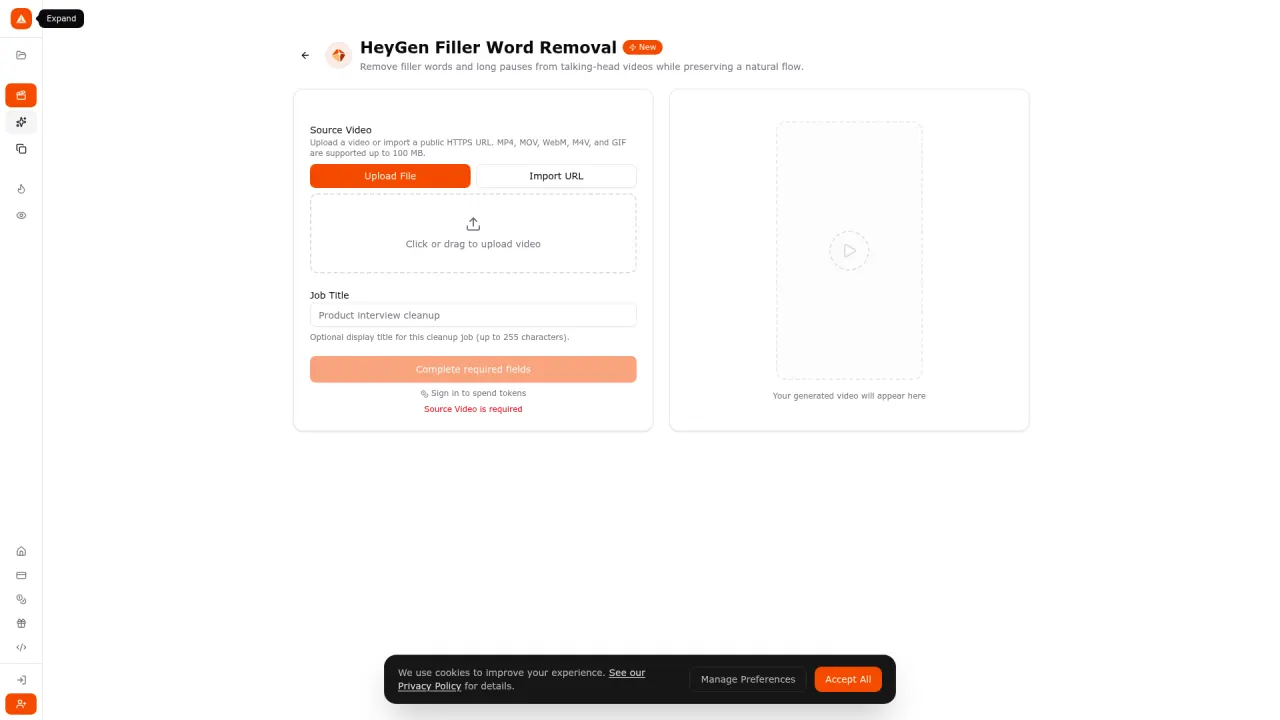
We shipped a new tool inside Prizmad's AI Studio today: HeyGen Filler Word Removal. Upload a talking-head video — a testimonial, an interview, a founder pitch, raw avatar output from any tool — and it comes back with the "um"s, "uh"s, and dead-air pauses cut out, while keeping the pacing sounding natural instead of chopped.
It runs on HeyGen's own filler-word-removal model, which we host through fal. That's a meaningful detail for anyone shipping AI UGC ads at volume: filler words and awkward pauses are one of the last things that make otherwise-clean avatar output or influencer-style raw footage read as unpolished, and until now fixing that meant either a manual scrub in a timeline editor or accepting the flaw.
What it actually does
You upload or import a video (MP4, MOV, WebM, M4V, or GIF, up to 100 MB), optionally give the cleanup job a title, and the tool returns the trimmed clip along with the numbers behind the edit: how many cuts were made, the original duration, the output duration, and the percentage reduction. It's built as an async job — you submit and it processes in the background rather than blocking the tab, since cleanup time scales with clip length.
One detail worth calling out because it's the kind of thing that's easy to bury in fine print but shouldn't be: if the tool finds no filler words or long pauses to cut, your tokens are automatically refunded. You're not charged for a video that turns out to already be clean.
What it costs
Pricing follows Prizmad's standard token model, tuned to this tool specifically:
- 120 tokens minimum for anything up to 60 seconds of source video.
- +2 tokens for every additional second beyond that — a 3-minute (180s) clip runs 360 tokens, a 5-minute (300s) clip runs 600 tokens.
- Automatic refund if the source video has nothing to trim.
That token math exists specifically to cover the underlying provider's documented 60-second processing minimum without silently overcharging short clips — a 10-second clip and a 55-second clip both land at the 120-token floor.
Where this fits if you're producing ad creative
Most AI UGC and talking-head ad workflows generate a script-and-voiceover pass, then a rendered avatar or real creator footage, then hand it to an editor for polish. Filler-word and pause cleanup is exactly the kind of polish step that's tedious to do by hand and easy to skip under deadline pressure — which is usually the corner that shows in the final ad. Having it live as a standalone tool inside the same workspace as Prizmad's product-URL-to-ad pipeline means you can run it on:
- Raw creator or influencer submissions that need a quick professional pass before they go into paid media.
- Avatar renders from any tool (including ours) where a hesitation slipped through the script generation step.
- Interview or testimonial footage you're repurposing into short-form ad creative.
It's a general-purpose video cleanup tool, not tied to Prizmad's own avatar output specifically — you can feed it any qualifying video you have the rights to edit.
Try it
The tool is live now at prizmad.com/tools/heygen-filler-word-removal, inside the same AI Studio that ships 30+ tools on the same subscription as the core ad generator. If you're testing whether the cleanup actually holds up on your own footage, the 120-token floor makes that a cheap first look — and if there's nothing to cut, you don't pay for finding that out.