
YouTube Shorts Ads for Ecommerce in 2026: The Playbook for DTC Brands
How to run YouTube Shorts ads in 2026: the 9:16 spec that actually ships, non-skippable feed behavior, Demand Gen vs Video campaigns, niche hook patterns, and the real cost of AI vs human creative.
On this page
Every DTC brand already knows YouTube Shorts is where the reach is. What most of them get wrong is treating Shorts ads like a repurposed TikTok creative or a cut-down in-stream spot — and then wondering why the CPA looks nothing like the organic Shorts engagement on the same channel.
Shorts ads are a distinct advertising surface: a non-skippable, 9:16 vertical slot that runs between organic Shorts in the feed. Per Google's own video ad format documentation, the format accepts videos up to 60 seconds, and because there is no skip button, the only escape hatch the viewer has is swiping away. That single fact changes the creative math: your hook isn't competing for a skip decision at second 5 — it's fighting a swipe decision at second 2.
This playbook covers the format specs that actually matter, the campaign types that place into Shorts inventory, hook patterns per ecommerce niche, the compliance notes that trip up AI-generated creatives, and the cost math of producing a Shorts-ready creative matrix in 2026.
Why Shorts ads are a different surface than in-stream
Shorts inventory runs inside the vertical feed, and Google treats it as its own placement — not a mobile crop of your in-stream assets. The practical differences:
- Non-skippable. There is no "Skip Ad" button on Shorts ads. Viewers leave by swiping, which makes the first 2 seconds the entire ballgame.
- Swipe-native behavior. Shorts viewers make viewing decisions in under 2 seconds (vs roughly 5 for in-stream), so mid-roll value delivery is dead on arrival if the first frame doesn't signal what the ad is about.
- Sound-on and sound-off both happen. Many Shorts viewers watch with sound on, but a meaningful share still scroll muted — subtitles and on-screen text are not optional.
- Bought through standard Google Ads campaigns. Shorts placement is available in Video reach, Video views, Demand Gen, and App campaigns. Demand Gen auto-places eligible vertical videos across Shorts, Discover, and Gmail.
The Shorts ad spec sheet (what actually ships)
Verified against Google Ads help and YouTube's format reference:
| Parameter | Requirement | Recommended |
|---|---|---|
| Aspect ratio | 9:16 vertical | 9:16 (1:1 may appear with less coverage) |
| Resolution | 1080×1920 | 1080×1920 |
| Duration | ≤60 seconds | 15–30s for action goals, under 20s for reach |
| Format | MP4 / MPEG-4 | MP4, H.264 |
| File size | — | Keep under 100 MB |
| Skip | Non-skippable | n/a |
| Charge basis | TrueView views (10s or end, whichever first) | n/a |
For Demand Gen specifically, Google's guidance is 15–30s vertical for best performance, with shorter 6–15s spots trending toward higher completion rates. If you're running a Video reach campaign, keep the creative under 20 seconds; bumper ads (6 seconds) also surface in Shorts and pull near-100% view rates.
Anatomy of a converting Shorts ad
The 9:16 frame is tall, and the feed is fast. A working Shorts ad is four beats, in this order:
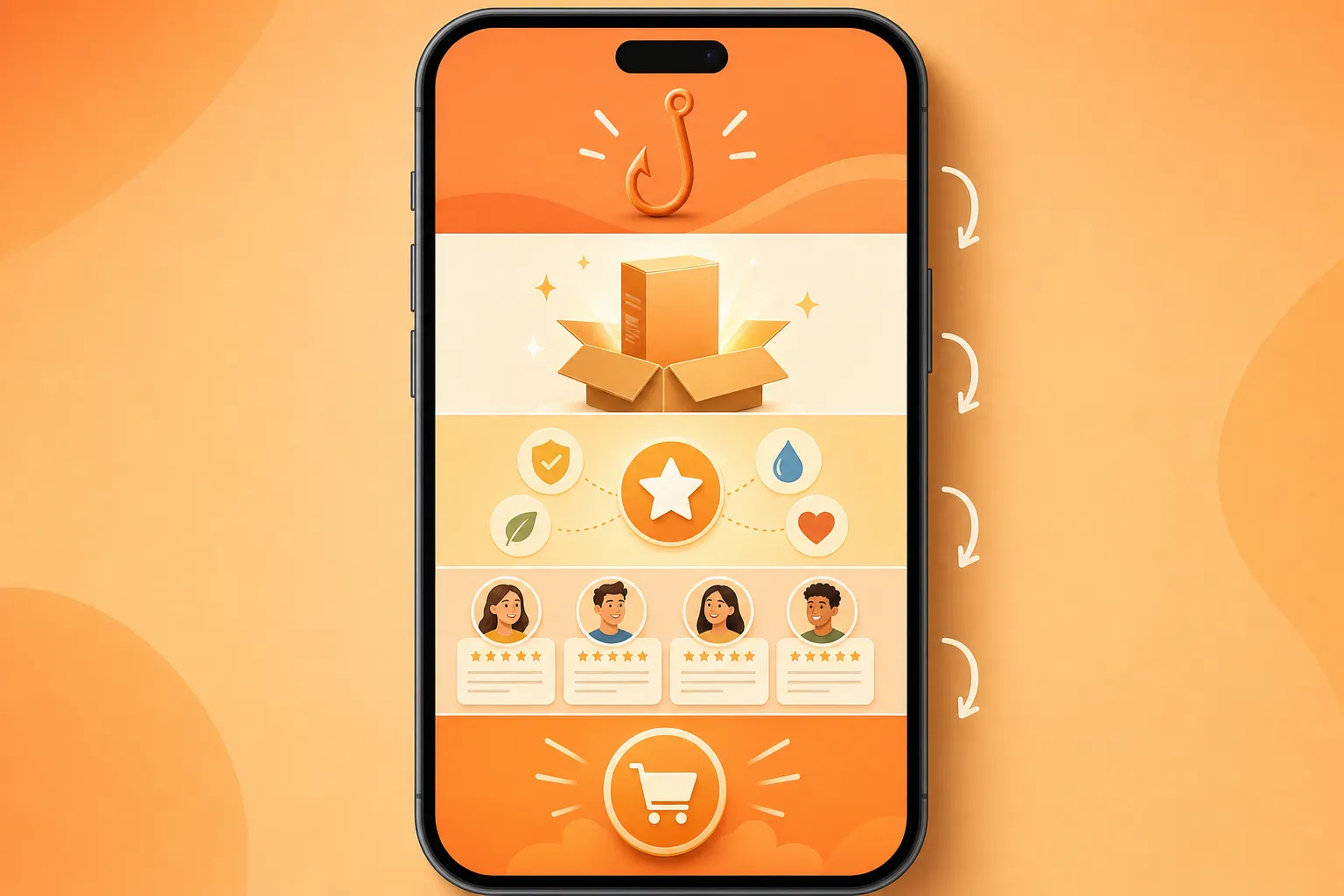
- Hook — 0–2s. Start mid-action, no title card, no "hey guys". The first frame must communicate both the category and the promise, because a swipe at second 2 ends everything. Problem-first hooks ("Your Amazon listing looks like this...") and transformation hooks ("This is what $39/month gets you") consistently outperform brand-openers.
- Product reveal — 2–10s. Show the product in motion within the first third. For AI-generated ads, this is where the product page imagery gets turned into a hero visual — a demo, a texture shot, or a before/after.
- Proof — 10–20s. Star ratings, review quotes, subscriber counts, "as seen on" — one social-proof beat, not three. The vertical frame punishes stacked proof; pick the single strongest signal.
- CTA — last 5s. One action, stated verbally and visually. Shorts ads support YouTube's overlay CTA, so the verbal ask and the on-screen button should match.
The whole creative should feel native to the Shorts feed — if it looks like an in-stream spot squeezed into 9:16, it reads as an ad and gets swiped.
Per-niche hook patterns for Shorts
The same 9:16 pipeline produces different winners per category. These four patterns are the ones that consistently hold up in Shorts inventory:
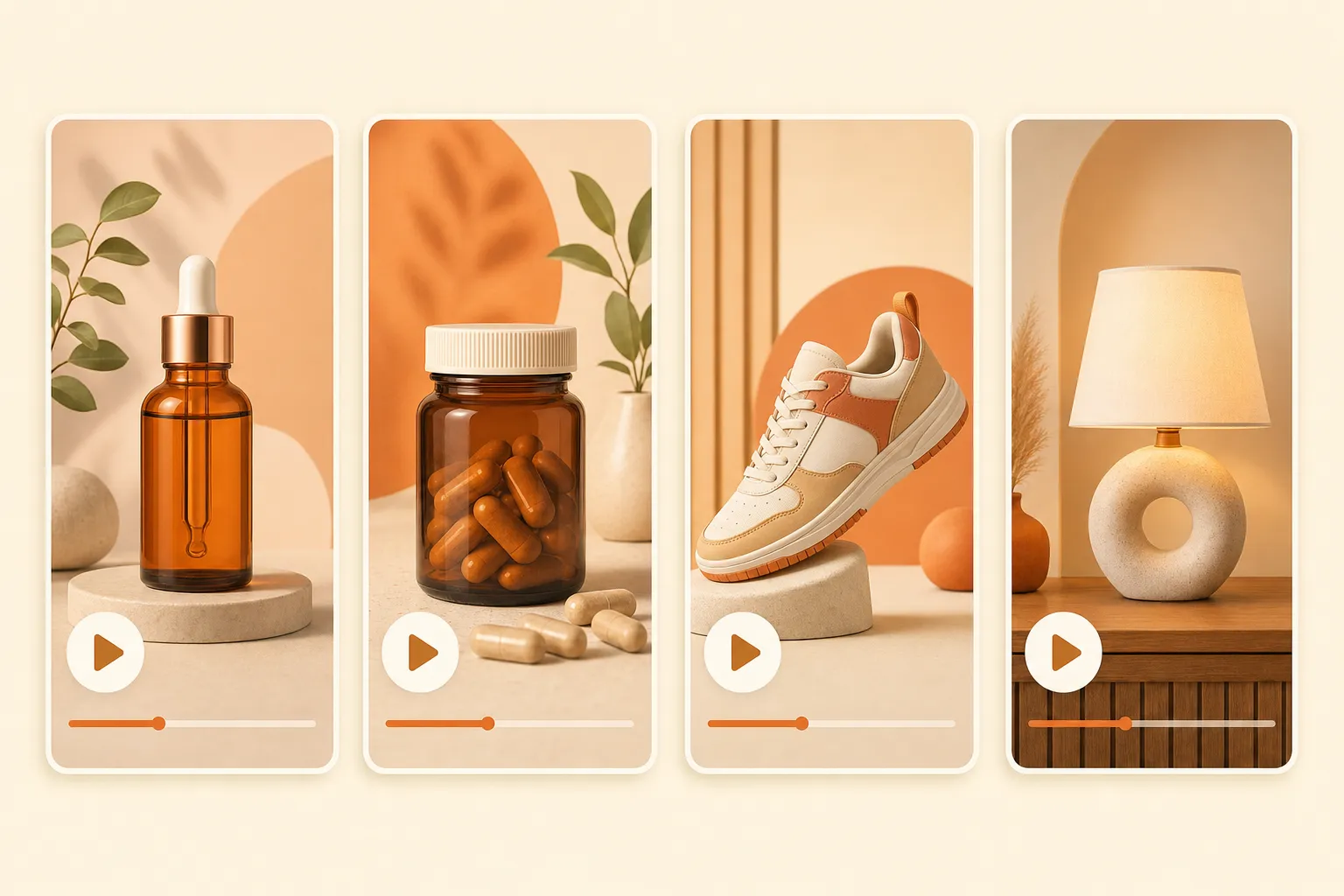
Skincare and beauty
Hook: problem-first ("Why your skin still looks tired by 3pm"). First frame should be the texture or the concern, not the bottle — the bottle comes at the reveal. Compliance is the hard ceiling here: no medical claims, no "cures", no before/after that implies treatment. Meta, TikTok, and Google all police this category hard, and YouTube adds its own health claims policy.
Supplements and wellness
Hook: outcome-first ("30 days in, my afternoon crashes are gone"). Shorts viewers convert on identity and routine more than ingredient lists. Keep the claims to "supports" / "may help with" / "many customers report" — treatment, prevention, and diagnosis claims get the account flagged regardless of whether the video is AI-generated or human-shot.
Fashion and apparel
Hook: identity-first or transformation ("Here's what actually fits a 5'4 frame"). The reveal is the fit on a body, not the garment on a hanger. Movement sells in Shorts; a static product shot reads as an ad. AI pipelines with motion control (e.g., reference-to-video from the brand's lookbook) beat a static hero image every time.
Home and decor
Hook: transformation ("This 12-second install changed my kitchen"). First frame should show the result, not the product packaging. Home content overperforms in Shorts because the platform skews toward lifestyle and DIY — lean into the before/after and the "renters can do this too" angle.
Campaign setup: Demand Gen vs Video reach vs Video views
Shorts placement is not a separate campaign type — it's inventory inside standard Google Ads campaign types. The one you pick changes the creative you need:
| Campaign type | Goal | Shorts creative guidance |
|---|---|---|
| Demand Gen | Consideration / conversion | 15–30s vertical, 6–15s for higher completion |
| Video reach | Awareness | under 20s, non-skippable-friendly |
| Video views | Views / consideration | Up to 60s works |
| App campaigns | Installs | 10–60s vertical assets |
One practical note: to be eligible for Shorts placement, the video must be uploaded to YouTube (either as a regular Short or via the campaign asset library), not just attached as a file in Google Ads.
Cost math: AI pipeline vs UGC creator vs in-house
The budget question for a Shorts creative test cycle (say, 4 hook angles × 2 product angles = 8 creatives, refreshed every 2–3 weeks):
| Channel | Cost per creative | Turnaround | 8-creative cycle |
|---|---|---|---|
| UGC creator (mid-tier) | $400–$800 | 7–14 days | $3,200–$6,400 |
| In-house studio shoot | $1,500–$5,000 | 2–4 weeks | $12k–$40k |
| Agency-managed | $1,000–$2,500 | 4–6 weeks | $8k–$20k |
| AI pipeline (Prizmad) | ≈$7–13 per finished ad | under 10 min | ≈$57–104, same day |
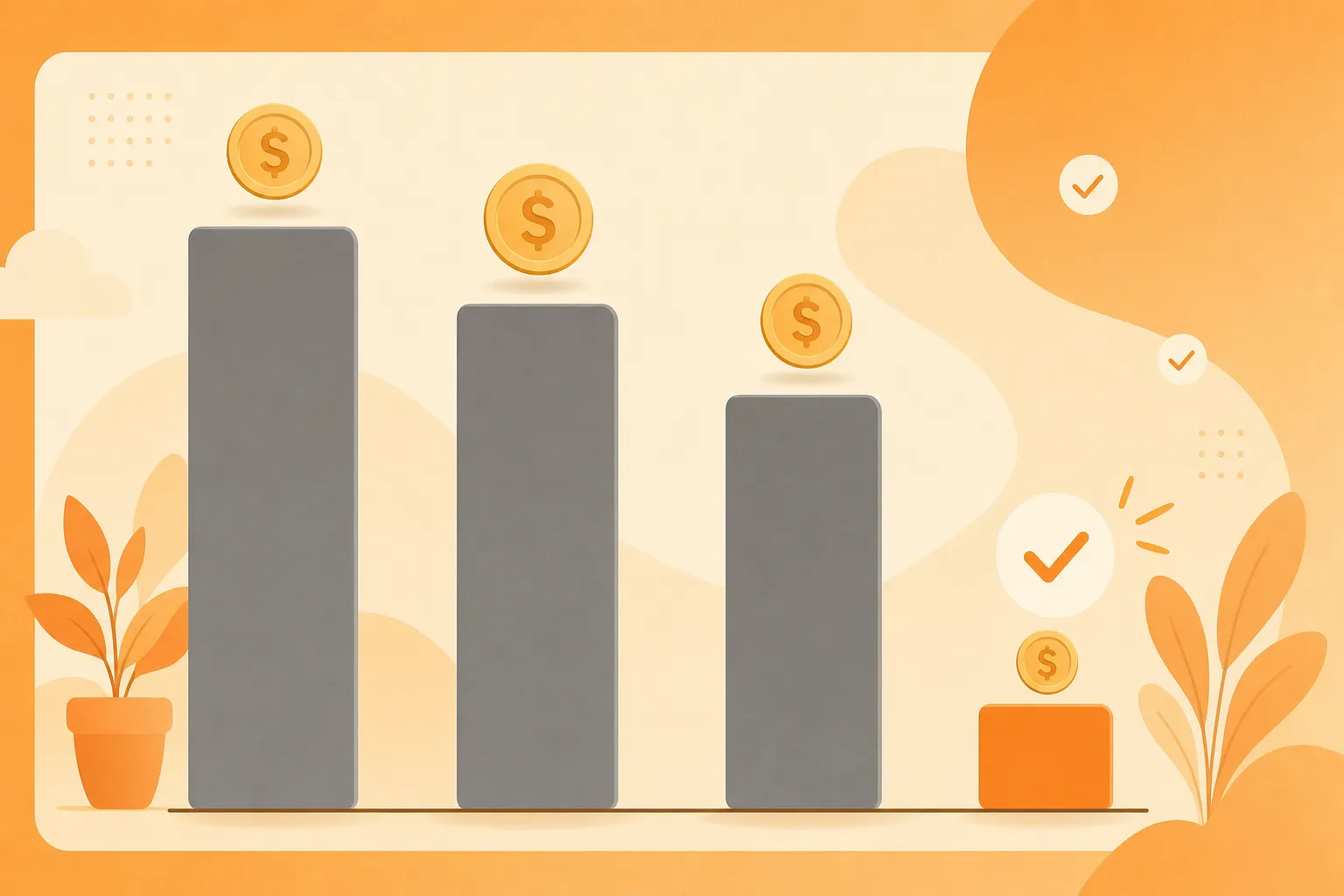
The AI line is a conservative estimate based on current plan pricing (Launch $39/mo for 3,000 tokens, roughly 3 finished avatar ads; Starter $99/mo for 8,000 tokens; Pro $249/mo for 35,000 tokens, per Prizmad pricing). The cost difference moves the bottleneck from budget to script-writing — which is a much better problem to have, and it's the same bottleneck the Shorts feed punishes you for ignoring: novelty. Google's auction rewards fresh creative, and a Shorts account running on 8 stale spots for a month loses to one that swaps in 8 new angles weekly.
Compliance — the notes that trip up AI creatives
Shorts ads follow the same Google Ads policies as every other placement, plus the synthetic content label rules:
- AI disclosure. Google requires ads that contain synthetic or altered content (realistic people doing or saying things they didn't) to be labeled. YouTube's "altered or synthetic content" disclosure applies to uploads; ad accounts also need to self-identify in Google Ads. Apply the label — the algorithm and the reviewer both check.
- Avatar likeness. Don't generate avatars that look like real identifiable people, competitors' founders, or your customers. This is a platform-policy issue and a right-of-publicity issue in the US/EU.
- Health and money claims. The policy does not change because the creative is AI-generated. Skincare and supplements are the two categories that get accounts flagged fastest.
Frequently asked questions
What is Prizmad?
Prizmad is an AI ad agent for ecommerce brands. Paste a product link or describe your product in a chat, and the agent — trained on 60M+ ad creatives — writes the hooks and script, casts an AI actor and voice, and delivers ready-to-post video ads for TikTok, Reels and Shorts in about 5 minutes.
What are AI UGC ads?
AI UGC ads (AI-generated user-generated content ads) are video advertisements that use AI avatars, synthetic voiceovers, and automated editing to replicate the authentic, creator-style content traditionally filmed by real influencers or users. Prizmad generates AI UGC video ads from any product URL in minutes — at a fraction of the cost of hiring human UGC creators.
How long does it take to generate a video?
Most videos are ready within 5 minutes. Complex ads with custom avatars may take up to 10 minutes. You'll receive a notification when your video is ready.
Do I need video editing experience?
Not at all. You just chat: paste a product link, say what you want, and the agent handles the script, actor, voice and editing. Want a change? Ask in plain words.
Do I need a product link to get started?
No. A link is the fastest start — paste a page from Shopify, Amazon, Etsy or any store and the agent reads it. Or just describe your product in the chat.
Can I edit the AI-generated script?
Yes. The agent shows you the hooks and script before anything renders — edit any line yourself or ask it to ("make the hook punchier", "shorter CTA").
What platforms can I publish to?
Export videos ready for TikTok, Instagram Reels, Facebook Ads, YouTube Shorts, Shopify, and Amazon. All standard formats are included: 9:16 (vertical), 1:1 (square feed), and 16:9 (landscape) — all in Full HD 1080p.
How does AI UGC compare to hiring human UGC creators?
Traditional UGC creators charge $500–$2,000 per video and take 1–3 weeks to deliver. AI UGC ads from Prizmad cost approximately $7–13 per video (depending on your plan), generate in about 5 minutes, and can be produced in unlimited variations for A/B testing — in 15 languages from a single product link.
Do I own commercial rights to my AI-generated ads?
Yes. You own full commercial rights to every video ad you generate with Prizmad. Use them on any advertising platform, in any market, for as long as you want — no additional licensing fees.
Is it legal to run AI-generated video ads on TikTok, Meta, and Google?
Yes. AI-generated video ads are permitted on major ad platforms including Meta (Facebook and Instagram), TikTok, Google, and YouTube, provided they comply with each platform's advertising policies and any applicable AI-content disclosure requirements. You own full commercial rights to every video ad generated with Prizmad and can run them on any advertising platform without additional licensing fees.
How do tokens work?
Chatting with the agent is free — tokens are spent only on what it generates, like videos, images and voiceovers. A finished video ad with an AI avatar costs around 1,000 tokens; simpler videos cost far less. Launch includes 3,000 tokens, Starter 8,000 and Pro 35,000. Plan tokens refresh each billing cycle; top-up tokens never expire.
Can I cancel my subscription?
Yes, you can cancel anytime from your account settings. You'll keep access until the end of your billing period. No questions asked.
Ready to test Shorts this week? Paste your product URL into the Prizmad generator and get a 9:16, Shorts-ready mp4 in about five minutes — no studio, no creator wait.