
Amazon Product Video Ads: SBV, main image และ A+ Content
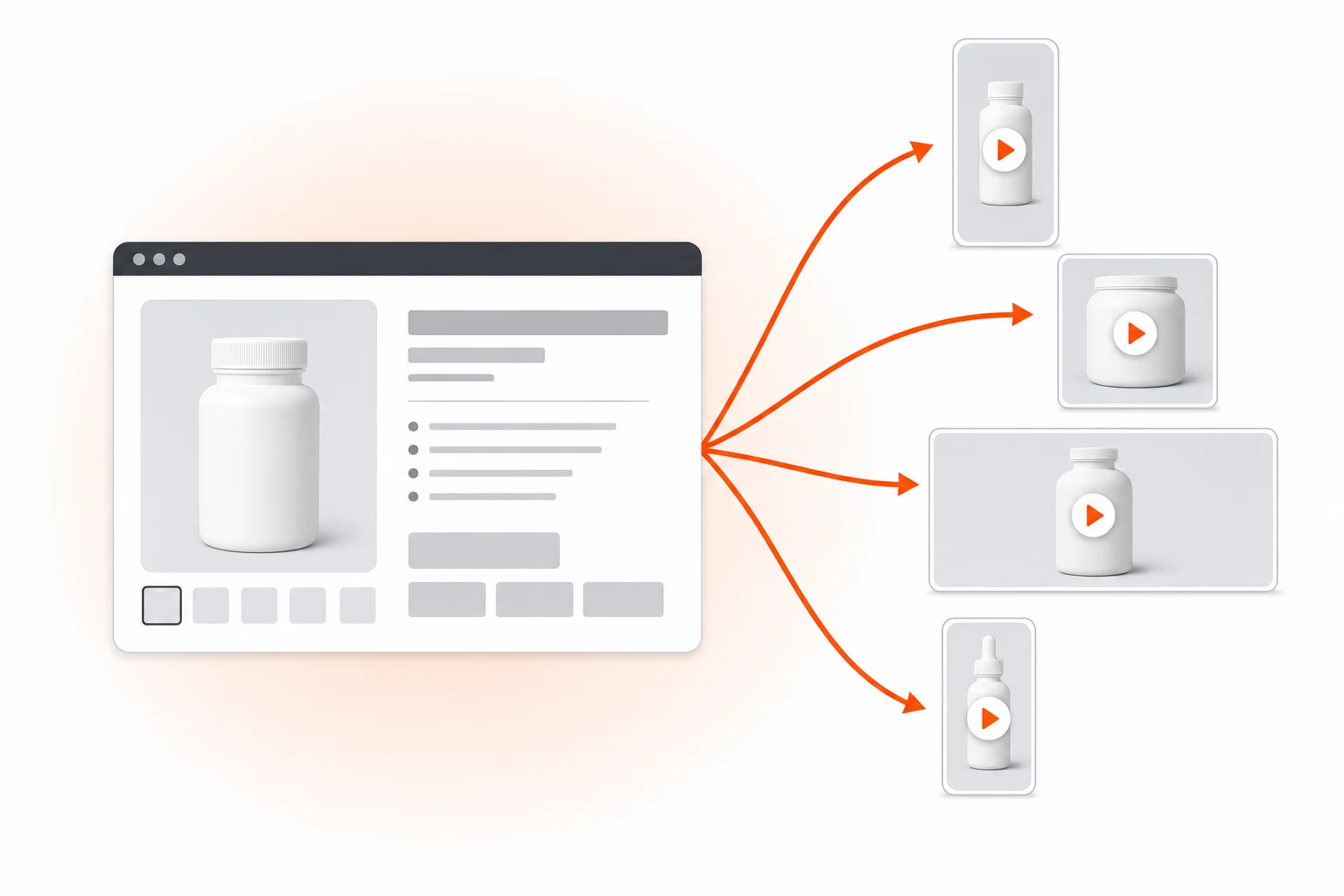
วิธีเปลี่ยน Amazon listing URL เป็น Sponsored Brand Video, main image video และ A+ Content video โดยไม่ต้องถ่ายใหม่ พร้อมสเปกและต้นทุนสำหรับ FBA seller
On this page
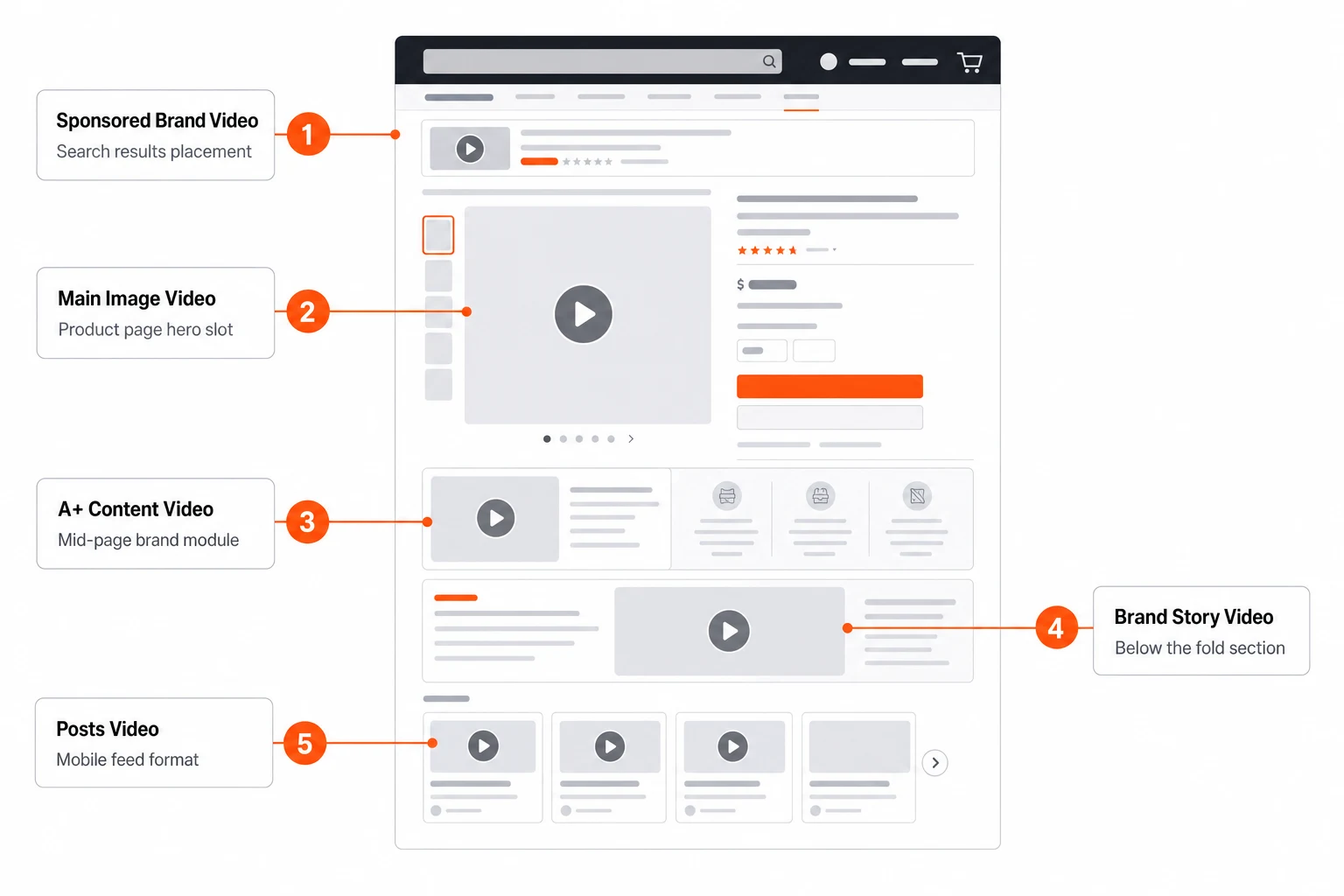
พื้นที่วิดีโอบน Amazon ใหญ่กว่าที่ seller ส่วนใหญ่คิดกัน Sponsored Brand Video อยู่ใน search results ส่วน main image video เล่น inline บน product page A+ Content รองรับ video module ได้ถึงเก้าโมดูล Posts กับ Brand Stories รับคลิป short-form Sponsored Display Video วิ่งทั้งบน property ของ Amazon เองและ off-site แต่ละ format มี technical guideline ของตัวเองที่เผยแพร่บน Amazon Advertising — แต่สำหรับ seller ส่วนใหญ่ ทุก format มี bottleneck เดียวกัน นั่นคือการผลิตวิดีโอขึ้นมาให้ได้เลย Marketplace Pulse และ Jungle Scout's State of the Amazon Seller ชี้ตรงกันมาตลอดว่าต้นทุนการผลิตวิดีโอคือ constraint อันดับต้น ๆ ของแบรนด์ FBA ขนาดกลาง
playbook นี้ครอบคลุมทางเลือกปี 2026 — การเปลี่ยน Amazon listing URL ให้กลายเป็นชุด video asset ครบทุกแบบโดยไม่ต้องถ่ายทำ เดินผ่านทุก Amazon video format, technical spec ของแต่ละอัน, creative pattern ที่ convert ได้ในช่องนั้น ๆ และการคิดต้นทุนเทียบกับ Amazon Live Studio หรือ production ภายนอก
ห้า video surface บน Amazon
seller ส่วนใหญ่เหมารวม "Amazon video" กับ Sponsored Brand Video แล้วมองข้ามอีกสี่อันที่เหลือ แต่ละ surface เป็น ranking และ conversion lever แยกกัน
Sponsored Brand Video (SBV)
ตัวใหญ่สุด โผล่ใน search results ทั้ง mobile และ desktop ทั้งด้านบนและภายใน organic feed 9:16 บน mobile, 16:9 หรือ 4:3 แบบเดิมบน desktop (ตอนนี้ Amazon เอนไปทาง square 1:1 สำหรับ cross-device) 6–45 วินาที auto-play แบบ muted เพราะฉะนั้น subtitle คือ mandatory — ไม่ใช่ optional SBV คือที่ที่งบ ad ของ FBA seller ส่วนใหญ่ลงไป และเป็นที่ที่ creative จาก AI คืนทุนเร็วที่สุด Sponsored Brands help center ของ Amazon อัปเดต spec ปัจจุบันไว้ตลอด
Main image video (product page)
เล่นใน main image carousel บน product detail page เฉพาะ seller ที่มี Brand Registry เท่านั้น aspect 1:1, 15–30 วินาทีคือ optimal ข้อสำคัญ: นี่คือ video slot ที่ intent สูงสุดบน Amazon — คนดูอยู่บน listing อยู่แล้ว ผลต่อ conversion วัดได้ และมักดัน unit sessions ขึ้นอย่างมีนัยสำคัญ ตามข้อมูลจาก A/B Test program ของ Amazon เอง
A+ Content video modules
seller ที่ brand-registered ใส่ video module ได้ถึงเก้าโมดูลใน A+ Content อันนี้อยู่ล่างลงมาใน listing แต่ถูกสแกนโดย buyer ที่ add to cart ไปแล้วและกลับมา verify เป็น creative แบบ mid-funnel reinforcement 16:9, 30–60 วินาที คำแนะนำอย่างเป็นทางการอยู่ใน Amazon Seller Central's A+ Content guide
Amazon Posts video และ Brand Stories
priority ต่ำกว่า โผล่ใน feed บน mobile short-form, 9:16, 15s organic reach ฟรีภายใน Amazon คุ้มที่จะปล่อยถ้ามี video asset อยู่แล้ว — ไม่คุ้มที่จะผลิตใหม่ตั้งแต่ศูนย์
Sponsored Display Video
วิ่งทั้งบนและนอก Amazon (Twitch, เว็บ third-party) retarget shopper ที่เคยดู listing ของคุณหรือ listing คู่แข่ง 16:9, 6–45s spec คล้าย SBV แต่ creative pattern ต่างกัน — คนดูไม่ได้อยู่ใน search mode แล้ว Amazon Advertising's Sponsored Display documentation มี placement และ creative format ปัจจุบันครบ
Sponsored Brand Video — ช่องที่ killer สุด
SBV คือ Amazon ad video ที่ volume สูงสุด และเป็นอันที่คุ้มค่าที่สุดในการ optimize spec แน่นมาก และทำ imported creative พังไปเยอะ
| Spec | Value |
|---|---|
| Aspect ratio | 16:9, 1:1, หรือ 9:16 (1:1 ยืดหยุ่นสุด) |
| Duration | 6–45 วินาที (15s optimal) |
| Resolution | 1280×720 ขั้นต่ำ, 1920×1080 แนะนำ |
| Max file size | 500 MB |
| Frame rate | 23.976, 24, 25, 29.97, 30 fps |
| Audio | AAC, 96 kbps ขั้นต่ำ, 192 kbps แนะนำ |
| Codec | H.264 |
| Bitrate | 1 Mbps ขั้นต่ำ |
| Subtitles | ต้อง burned-in (auto-play muted) |
| End frame | ห้ามมี black frame ใน 100ms สุดท้าย |
กฎ "no black end frame" ทำ upload พังมากกว่าข้ออื่นใด ถ้า editor ของคุณใส่ fade-to-black ระบบ auto-check ของ Amazon จะ reject asset ทันที Prizmad render end-frame ด้วย product image ไม่ใช่ black
อะไรที่ convert ได้ใน SBV
สาม pattern ที่ outperform generic product showcase มาตลอด:
- Six-second hook + product fact. คนบน Amazon บน mobile นั้น pre-qualified อยู่แล้ว — เขา search query ที่เกี่ยวกับ category มาแล้ว คุณไม่จำเป็นต้องมี pattern interrupt ระดับ TikTok คุณต้องมี claim ที่เร็วและเจาะจง: "27g protein. 1g sugar. Zero whey." แล้วค่อย product reveal
- Comparison framing. "What you usually buy: $X. What this is: $X with [differentiator]." ได้ผลเพราะ Amazon shopper กำลังอยู่กลางการเปรียบเทียบอยู่แล้ว
- Outcome demonstration. โชว์ผลลัพธ์ ไม่ใช่โชว์สินค้า เท protein ลงน้ำ → ละลายเนียน เปิดถุงกาแฟ → กล้องจับไอ Product reveal คือ proof ไม่ใช่ lede
ทั้งสาม pattern map เข้ากับ template Quick Pitch หรือ Spotlight ของ Prizmad
Main image video — highest-intent slot
Main image video เล่นอยู่บน listing detail page ใน image carousel ซึ่งมักอยู่ด้านบนของ buy-box scroll สเปกมีดังนี้:
- 1:1 aspect แนะนำ 1080×1080
- 15–30 วินาที (สั้นยิ่งดี เพราะคนดูกำลังตัดสินใจอยู่)
- ห้ามมี external URLs ห้ามเคลมว่า "best", "#1" หรือเปรียบเทียบแบบไม่มีหลักฐาน
- ต้องมี subtitle (พฤติกรรม auto-play แบบ muted เหมือนกัน)
Creative pattern ของ main image video ต่างจาก SBV คนดูคลิกเข้ามาแล้ว — กำลังประเมินความเหมาะสม ไม่ใช่สร้าง awareness ให้โชว์:
- Scale. ของจริงใหญ่แค่ไหน? (มีมือวางเทียบ)
- Material/build. ซูม close-up เนื้อผ้า/วัสดุ งานเย็บ งาน finish น้ำหนักที่จับได้
- Use in context. สาธิตการใช้งานจริงหนึ่งฉาก
- Pack-out. ในกล่องได้อะไรบ้าง
ไม่ต้องมี avatar talking head ตรงนี้ — silent product B-roll ที่มี text overlay ทำผลได้ดีกว่า ใช้ Seedance 2.0 image-to-video หรือ reference mode โดยดึงภาพสินค้าจาก listing
A+ Content video — the trust reinforcement layer
A+ Content video อยู่ล่างลงไปใน listing หลังรูปภาพและ bullet points คนที่ scroll ลงมาถึงตรงนี้ convert ไปแล้ว 70% หน้าที่ของวิดีโอคือเคลียร์ objection สุดท้าย
สเปก:
- 16:9 aspect แนะนำ 1920×1080
- 30–60 วินาที (ยาวกว่า SBV เพราะ user committed แล้ว)
- ห้ามมี call-to-action overlay (Amazon strip ออก)
- ดึงจาก brand video pool เดียวกับ SBV แล้ว convert format
Creative pattern: specific objection handling ถ้า review บอก "หนักไปไหม?" ทำวิดีโอ 30s ที่โชว์น้ำหนักบนตาชั่งและยกด้วยมือเดียว ถ้า review บอก "ใส่กับเตียง queen ได้ไหม?" โชว์การใส่กับเตียง queen A+ video ไม่ใช่เพื่อ awareness — แต่เพื่อ 30% สุดท้ายของคนซื้อที่ add to cart แล้ว bounce ตอนดู spec page
Cost math: AI pipeline vs Amazon Live Studio vs agency
สำหรับ FBA seller ที่มี 5–10 ASIN และทำ full video coverage (SBV + main image + 2 A+ modules ต่อ ASIN) ตัวเลขโหดมาก
| Channel | Cost per ASIN (full coverage) | Turnaround | Refresh cycle |
|---|---|---|---|
| Amazon Live Studio (verified producers) | $1,500–$4,500 | 3–4 weeks | Annual |
| External production agency | $3,000–$10,000 | 4–6 weeks | Annual |
| Freelance UGC + editor | $800–$2,000 | 2–3 weeks | Bi-annual |
| AI pipeline (Prizmad) | under $40 in tokens | under 30 min for full set | Monthly or per-launch |
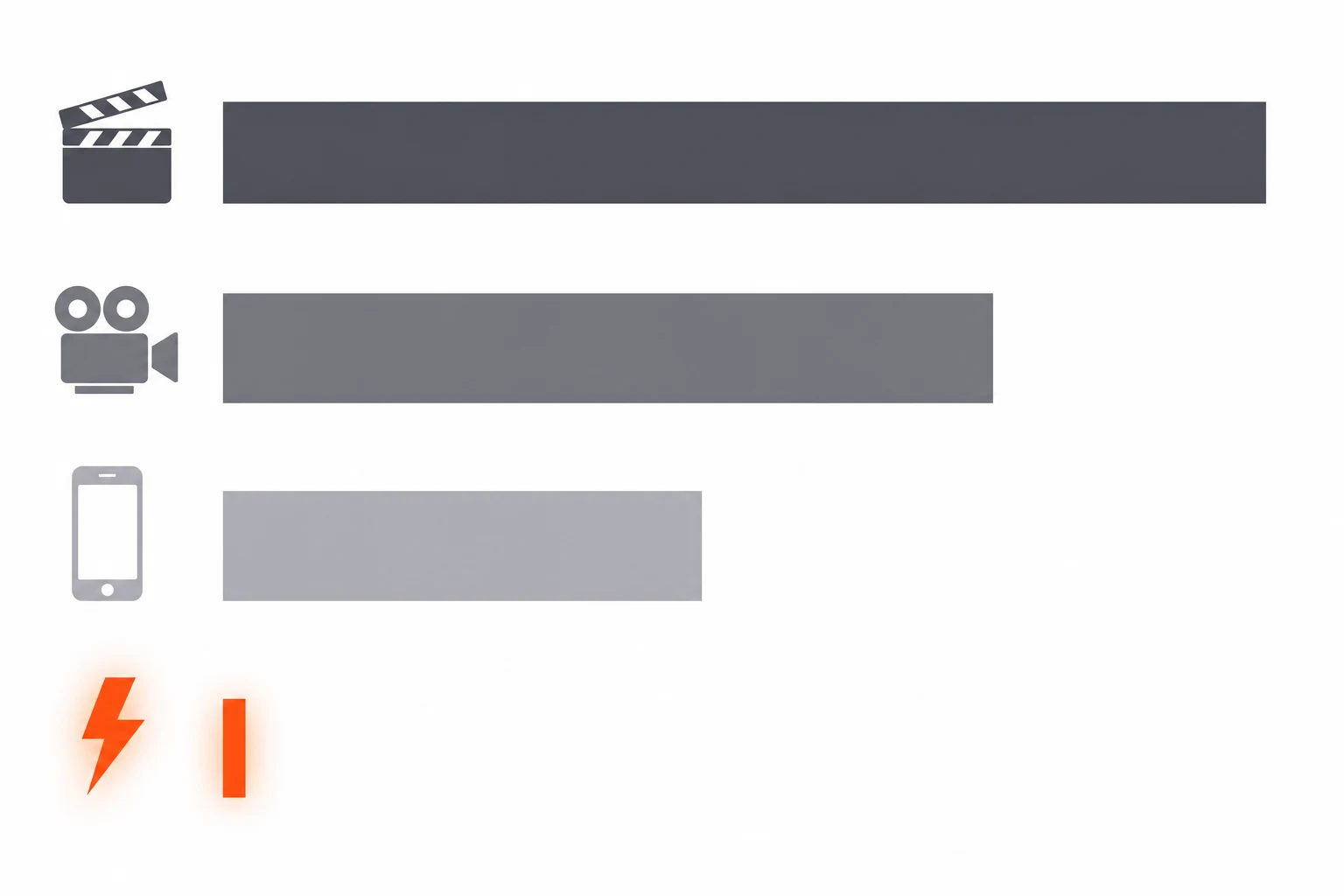
Catalog 5 ASIN ที่ refresh ทุก quarter ด้วย traditional production จะตกประมาณ $30k–$90k ต่อปีแค่ในส่วน video assets เท่านั้น coverage แบบเดียวกันบน AI pipeline ใช้ tokens ไม่ถึง $500/ปี — และ ship ได้ในไม่กี่วัน ไม่ใช่ไม่กี่สัปดาห์
ของจริงที่ unlock ได้คือ quarterly กลายเป็น monthly Amazon seller ส่วนใหญ่ ship วิดีโอครั้งเดียวแล้วไม่ refresh อีกเลย AI ทำให้ ship SBV creative ใหม่ได้ทุก Lightning Deal, ทุก Prime Day, ทุก Black Friday และทุก seasonal promo โดยไม่ต้องกลับไปจ้าง production อีก
The five-minute walkthrough
วิธีผลิต Amazon video set ครบชุดจาก ASIN URL เดียว:
- Paste Amazon listing URL ลงใน
/newตัว parser จะอ่าน product title, price, bullets, A+ content และ main image carousel - เลือก Sponsored Brand Video template เลือก 1:1 aspect เพื่อความยืดหยุ่นข้ามอุปกรณ์
- Hook pattern — เลือกจาก pattern ที่ optimize สำหรับ SBV (six-second claim, comparison, outcome)
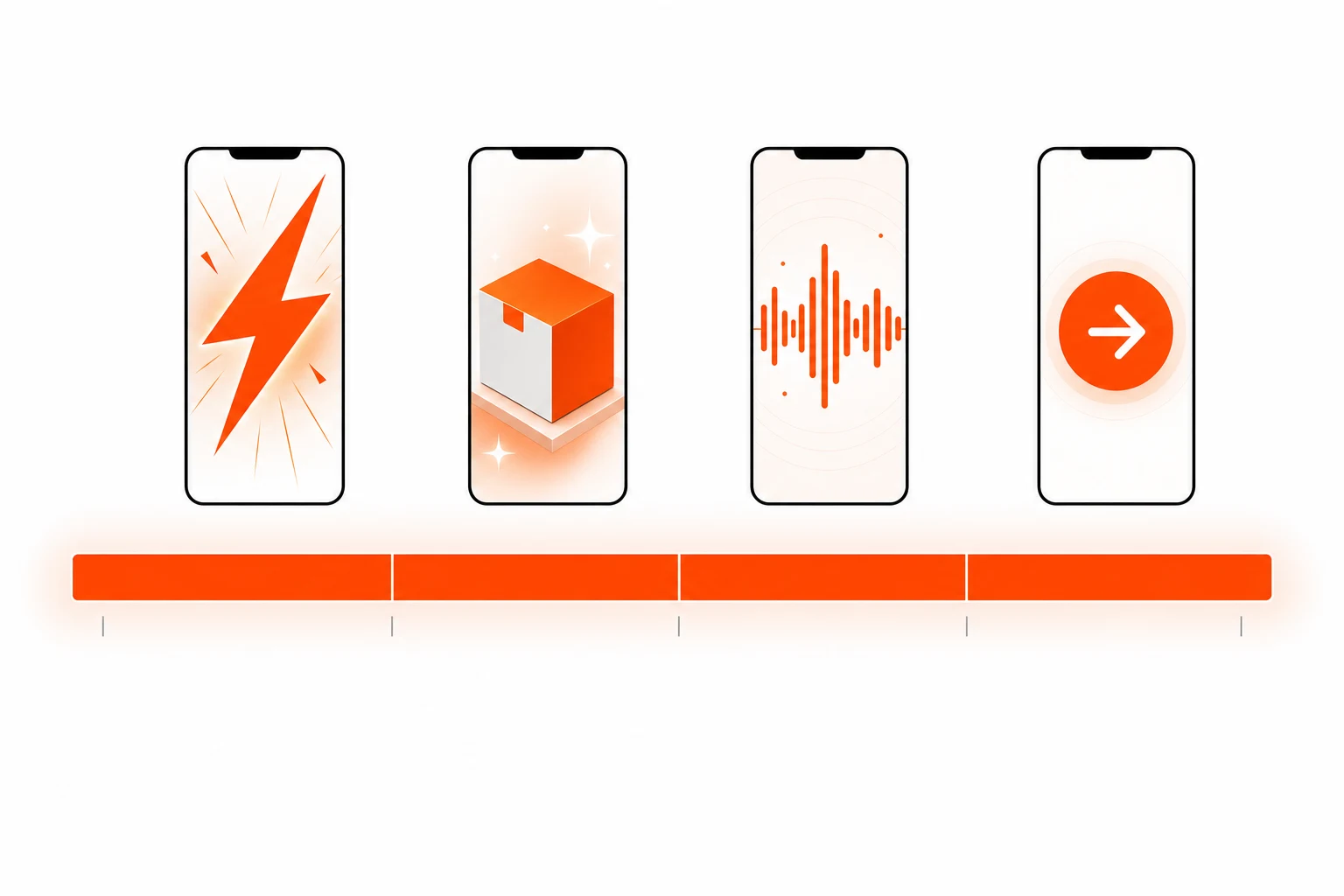
- Generate — pipeline render ประมาณ 5 นาทีสำหรับ SBV ครบชุด
- Resize สำหรับ main image และ A+ Content — Prizmad output 1:1 (main image) และ 16:9 (A+ Content) จาก source render เดียวกัน ไม่ต้อง re-render
- Verify Amazon specs — file size ต่ำกว่า 500 MB ไม่มี black end frame subtitle burned in Prizmad pre-check สิ่งเหล่านี้ตอน download
Compliance — Amazon's hard rules
การ review video ad ของ Amazon เข้มกว่า Meta หรือ TikTok กฎเต็ม ๆ อยู่ใน Amazon Advertising's Creative Acceptance Policies สามเรื่องที่ทำให้วิดีโอถูก reject ในทางปฏิบัติ:
- Implied medical, health, or financial claims. แม้แต่หมวดที่ไม่ใช่ supplement "Cures dry hands" → rejected "Hydrates and softens" → ผ่าน ใช้ภาษาที่ verifiable และ sensory เป็น default สำหรับ US seller FTC's advertising guidance ครอบคลุมกฎ federal ขั้นต้น
- Competitor mentions or comparisons. ห้ามเอ่ยชื่อคู่แข่ง ห้ามพูดว่า "better than X" ห้ามพูดว่า "stop buying [generic competitor product]" เกาะข้อเท็จจริงของสินค้าตัวเองเท่านั้น
- Pricing in the video. ห้ามโชว์ราคาที่อาจ outdated Amazon update ราคาบน listing แบบ dynamic — วิดีโอของคุณไม่ควรขัดกับมัน
Logic เดียวกันใช้กับ AI-generated avatar: avatar ห้าม impersonate คนจริง ห้ามอ้างว่าเป็นลูกค้าจริง หรือ present ว่าเป็น "verified buyer"
Frequently asked questions
What are AI UGC ads?
AI UGC ads (AI-generated user-generated content ads) are video advertisements that use AI avatars, synthetic voiceovers, and automated editing to replicate the authentic, creator-style content traditionally filmed by real influencers or users. Prizmad generates AI UGC video ads from any product URL in minutes — at a fraction of the cost of hiring human UGC creators.
How long does it take to generate a video?
Most videos are ready within 5 minutes. Complex ads with custom avatars may take up to 10 minutes. You'll receive a notification when your video is ready.
Do I need video editing experience?
Not at all. AI handles everything — from script writing to final editing. Just paste a product link, choose your preferences, and let the AI do the rest.
Do I need a product link to get started?
No! A link is optional. Paste a URL from Shopify, Amazon, WooCommerce, or any product page and everything gets extracted automatically. Or skip the link and describe your product manually.
Can I edit the AI-generated script?
Yes! After AI generates a script using proven ad hook formulas, you can review and edit every line before rendering. Full control over the final messaging.
What platforms can I publish to?
Export videos ready for TikTok, Instagram Reels, Facebook Ads, YouTube Shorts, Shopify, and Amazon. All standard formats are included: 9:16 (vertical), 1:1 (square feed), and 16:9 (landscape) — all in Full HD 1080p.
How does AI UGC compare to hiring human UGC creators?
Traditional UGC creators charge $500–$2,000 per video and take 1–3 weeks to deliver. AI UGC ads from Prizmad cost approximately $7–13 per video (depending on your plan), generate in about 5 minutes, and can be produced in unlimited variations for A/B testing — in 15 languages from a single product link.
Do I own commercial rights to my AI-generated ads?
Yes. You own full commercial rights to every video ad you generate with Prizmad. Use them on any advertising platform, in any market, for as long as you want — no additional licensing fees.
Is it legal to run AI-generated video ads on TikTok, Meta, and Google?
Yes. AI-generated video ads are permitted on major ad platforms including Meta (Facebook and Instagram), TikTok, Google, and YouTube, provided they comply with each platform's advertising policies and any applicable AI-content disclosure requirements. You own full commercial rights to every video ad generated with Prizmad and can run them on any advertising platform without additional licensing fees.
How do tokens work?
Each video generation costs tokens based on complexity. The Starter plan includes 8,000 tokens and the Pro plan includes 35,000 tokens. A finished UGC video ad with an AI avatar costs around 1,000 tokens; simpler videos without an avatar cost far less. Tokens refresh each billing cycle and don't roll over.
Can I cancel my subscription?
Yes, you can cancel anytime from your account settings. You'll keep access until the end of your billing period. No questions asked.
พร้อมผลิต Amazon video set ครบชุดแล้วหรือยัง? Paste ASIN URL ของคุณลงใน Prizmad generator — Sponsored Brand Video, main image video และ A+ Content video จาก render เดียวในห้านาที